PROFILE RECORDS (P330 to P337)
The following parameters are for authorized Milltronics service personnel or
Instrumentation Technicians familiar with Milltronics echo processing techniques.
Use these features to record and save a total of up to 10 Echo profiles, initiated
manually (P330), or automatically (P331 et al). Each record is time and date stamped
as to when the profile was saved. See Scope displays (P810) for echo profile viewing
hardware / software requirements.
If 10 Echo Profiles are already saved, addresses 1 through 10 are filled, the oldest
automatically initiated record is overwritten. Manually initiated records are not
automatically overwritten. All records are automatically deleted in the event of a
power interruption.
When a record is displayed, results are based on current programming (which may
have been altered since the record was saved). This permits the effect on the echo
profile to be observed when changing an echo parameter.
P330 PROFILE RECORD
In addition to serving as a library for profile records, this parameter provides
two functions:
» manually records and saves echo profiles
» displays an echo profile, recorded manually or automatically,
e.g. via an oscilloscope.
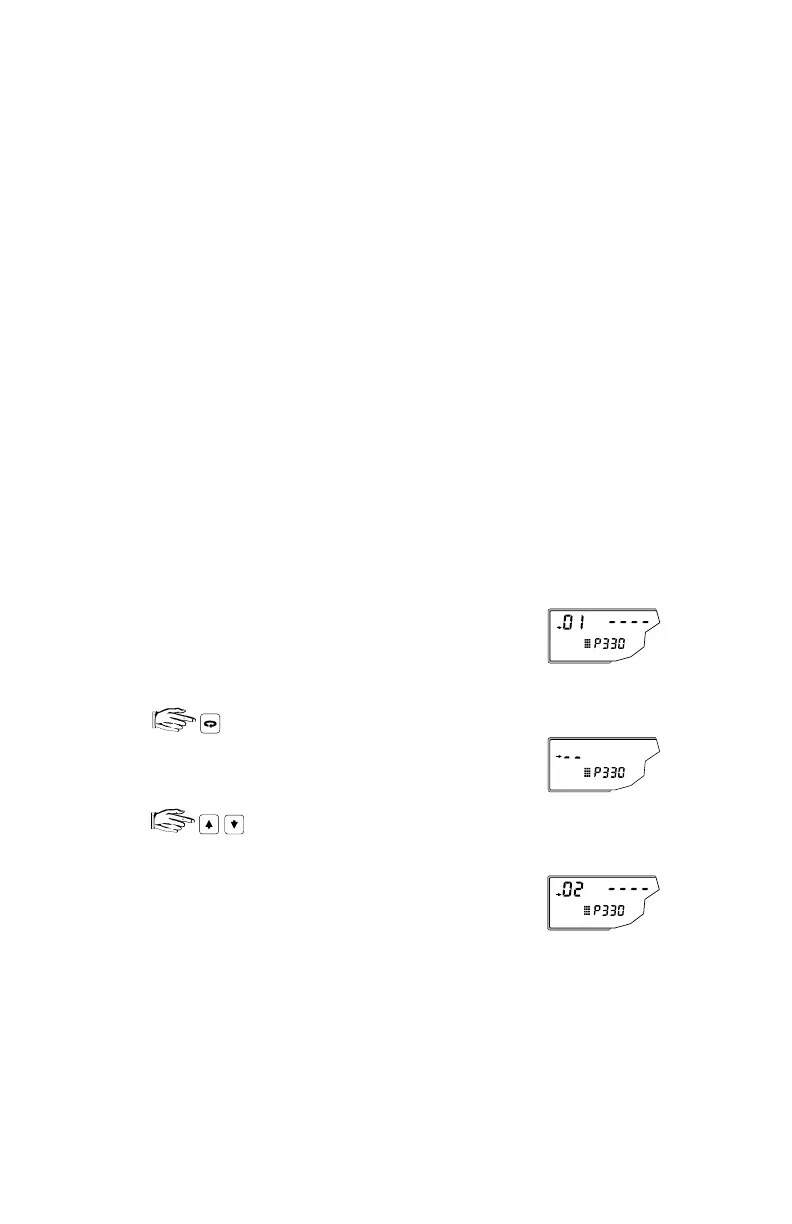
To select a record address:
until address index is enabled.
selects the desired address, 1 to 10, and displays the
associated parameter value:
‘- - - -’ = no record
‘ x# ’ = record
where: x = A, automatically initiated
= U, manually initiated
# = transducer number
e.g. initial parameter display
e.g. address 2 selected,
no record saved
PL-507 100



 To Next Page