General Product Description Physical Views
BP10 Operator’s Manual 2 - 3
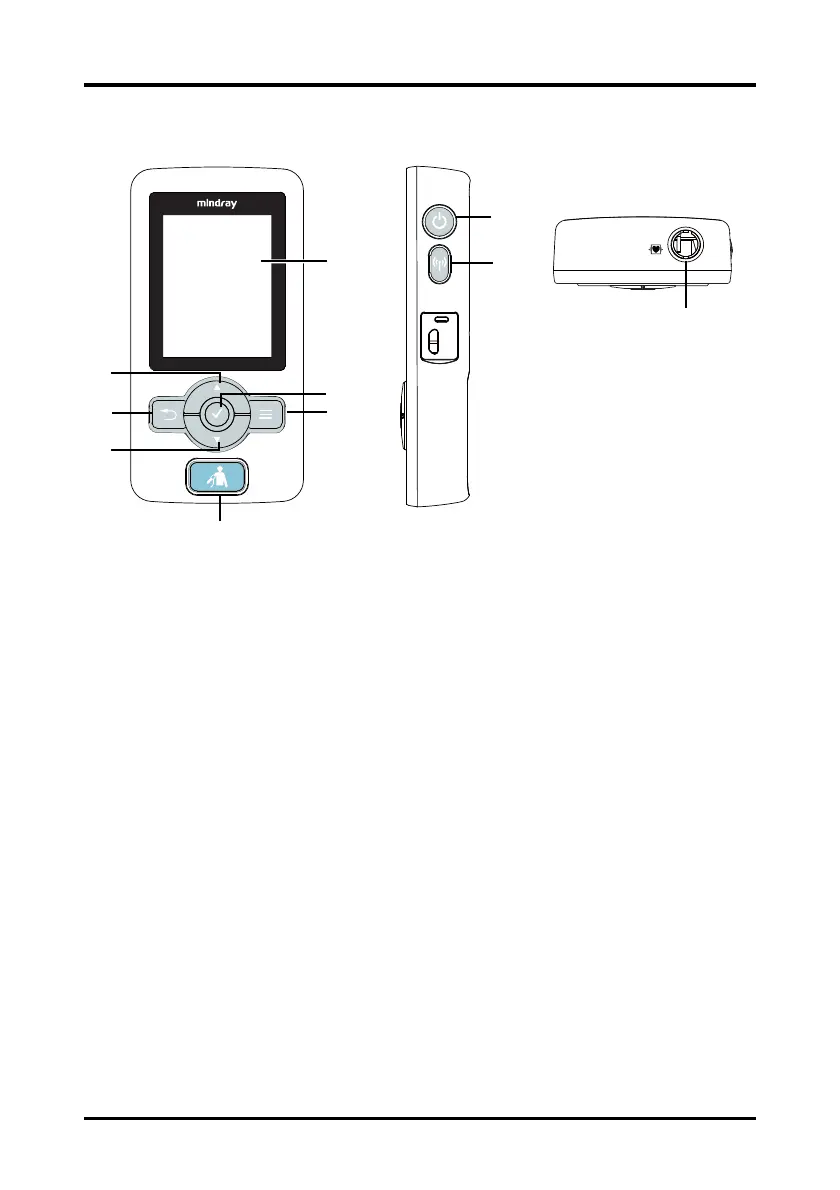
2.4 Physical Views
1. Display
2. Confirmation key
When the desired option is highlighted, press this key to select or activate the
corresponding function.
3. Main Menu key
Press this key to turn to the main menu.
4. NIBP start/stop key
◆ When NIBP is in process, press this key to stop the NIBP measurement.
◆ When NIBP is idle, press this key to start an NIBP measurement.
5. Down key
Press this key to move down along the column of menu options or configuration
choices.
6. Return key
◆ Press this key to return to the previous menu and save the settings.
◆ Press this key to switch between two main screens. Refer to "Main Screen"
on page 2-5 for additional information.









 To Next Page