Getting Started Basic Operations
BP10 Operator’s Manual 3 - 7
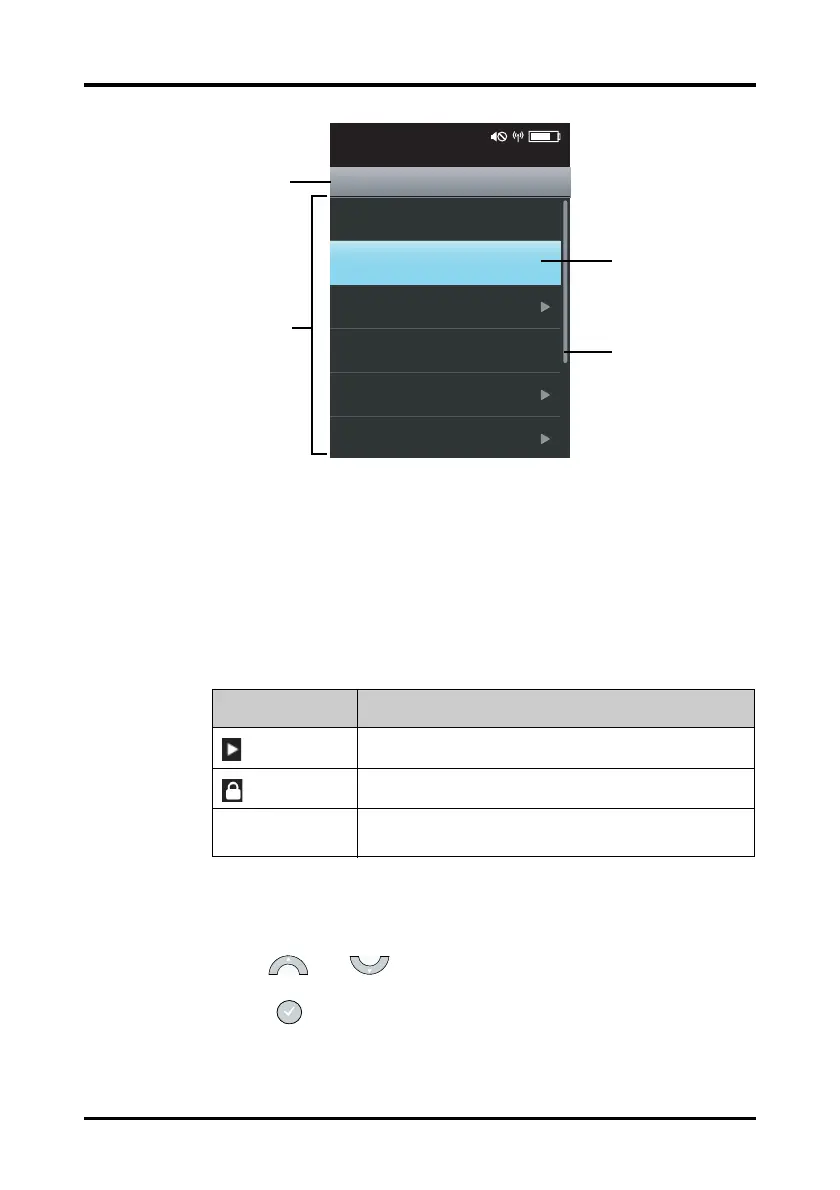
Figure 3-4 Main Menu
A menu may contain the following parts:
1. Heading: displays the current menu title.
2. Highlighted bar: indicates the current cursor position.
3. Scroll bar: shows the current position in a menu.
4. Main body: contains menu options and other controls to configure and operate
the device.
3.6.2 Selecting and Configuring an Option
To select and configure an option in a menu, follow this procedure:
1. Use the and keys to move the highlighted bar to an appropriate
position.
2. Press the key to select the option where the highlighted bar locates.
Controls Description
Accesses a submenu to reveal more options or information.
Indicates that a password is required.
Submenus Contains more operations or information related to the
corresponding menu.
10-13-2013
Cad... Rajagopalan 41059080
10:03 PM
Clear Prompt
History
NIBP STAT
Mode Manual
Venipuncture
Menu
Stop All
01-13-2015
NIBP-001
10:03 PM
Clear Prompt
History
NIBP STAT
Mode Manual
Venipuncture
Menu
Stop All
Patient Info









 To Next Page