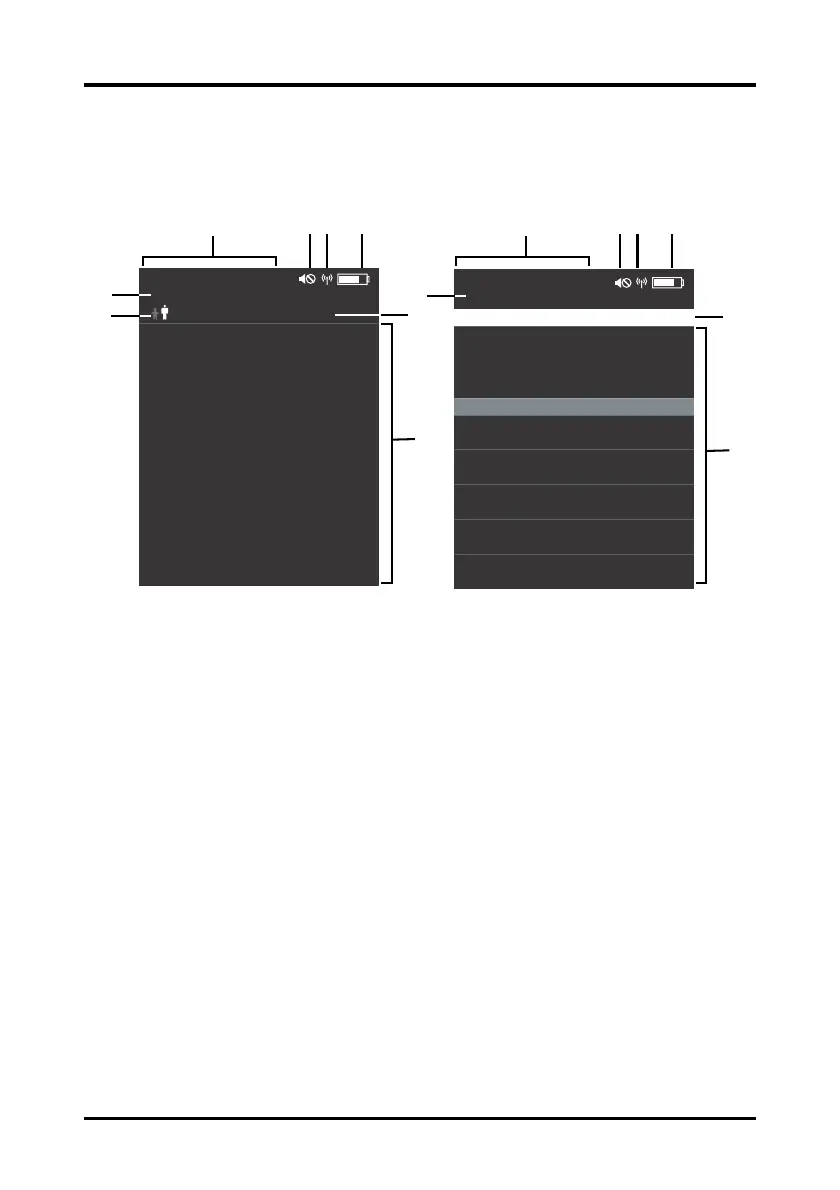
General Product Description Main Screen
BP10 Operator’s Manual 2 - 5
2.5 Main Screen
The main screen displays patient NIBP parameters. The two main screens are shown
below.
1. Patient category
The current patient category setting is shown in white.
2. Device name
3. Date and time
This area displays the date and time.
4. Audio off symbol
The audio off symbol displays when the technical audio is turned off.
5. MPAN symbol
The MPAN symbol displays when the MPAN is turned on.
6. Battery symbol
This symbol indicates the battery charge status. Refer to "Checking the Battery
Charge Status" on page 8-3 for additional information.
7. Operation mode
8. NIBP measurement area
This area shows the current values or measurement list.
mmHg
SYS/DIA PRMAP
@ 10:00 PM 00:00:05
120/80 (94) 60
09:35 PM
116/78 (94) 61
PR BPM
09:40 PM
118/82 (92) 60
09:45 PM
120/80 (94) 59
09:50 PM
126/86 (96) 61
09:55 PM
120/80 (94) 60
2015/08/08
NIBP-001
10:03 PM
Battery Error
mmHg
120
80
72
(84)
SYS
DIA
MAPPR
BPM
@ 10:00 PM 00:00:05
2015/08/08
NIBP-001
Sequence:P1
10:03 PM









 To Next Page