Installing the Batteries Getting Started
3 - 4 BP10 Operator’s Manual
3.4 Installing the Batteries
You can use two AA batteries or a lithium-ion rechargeable battery pack to run BP10.
The runtime depends on the battery solution your choose. A lithium-ion battery pack
provides the longer runtime. For details about the recommended AA batteries, refer to
"Miscellaneous" on page 11-3.
• Only use specified batteries. Use of other batteries will adversely affect the
batteries:
◆ Level reporting
◆ Low battery prompt
◆ Life performance
• Always keep the battery compartment dry.
• Never use brute force to install the lithium-ion battery pack or AA battery
frame. Otherwise the waterproof ring surrounding the battery frame edge
may be broken to affect the waterproof performance.
• The lithium-ion rechargeable battery shall be fully charged prior to first use.
To install batteries, follow this procedure:
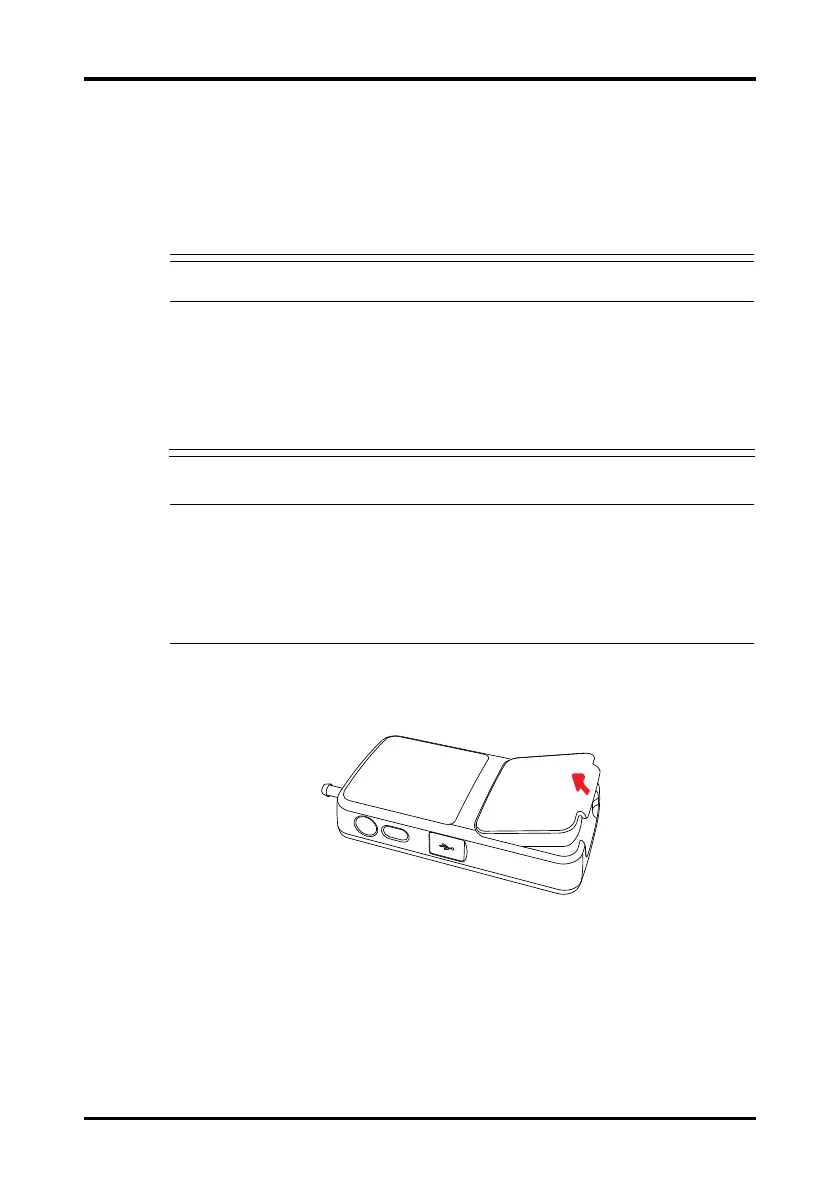
1. Lift up the lithium-ion battery pack or AA alkaline battery tray at the bottom of
BP10.
Figure 3-1 Open the Battery Pack
2. Make sure the battery compartment is empty.
3. Install AA batteries or lithium-on battery.
◆ If AA batteries are used, insert two 1.5V alkaline AA batteries according to
the diagram at the bottom of the battery frame.









 To Next Page