2.3 Capturing a Photo
Scene mode, hold
the camera with both hands, being careful to
not block the flash and lens with fingers.
Point the lens toward the object you want to
take a picture of, and then frame it with the
LCD monitor.
Use the ZOOM lever to select Tele or Wide
positions to zoom in or out on your subject.
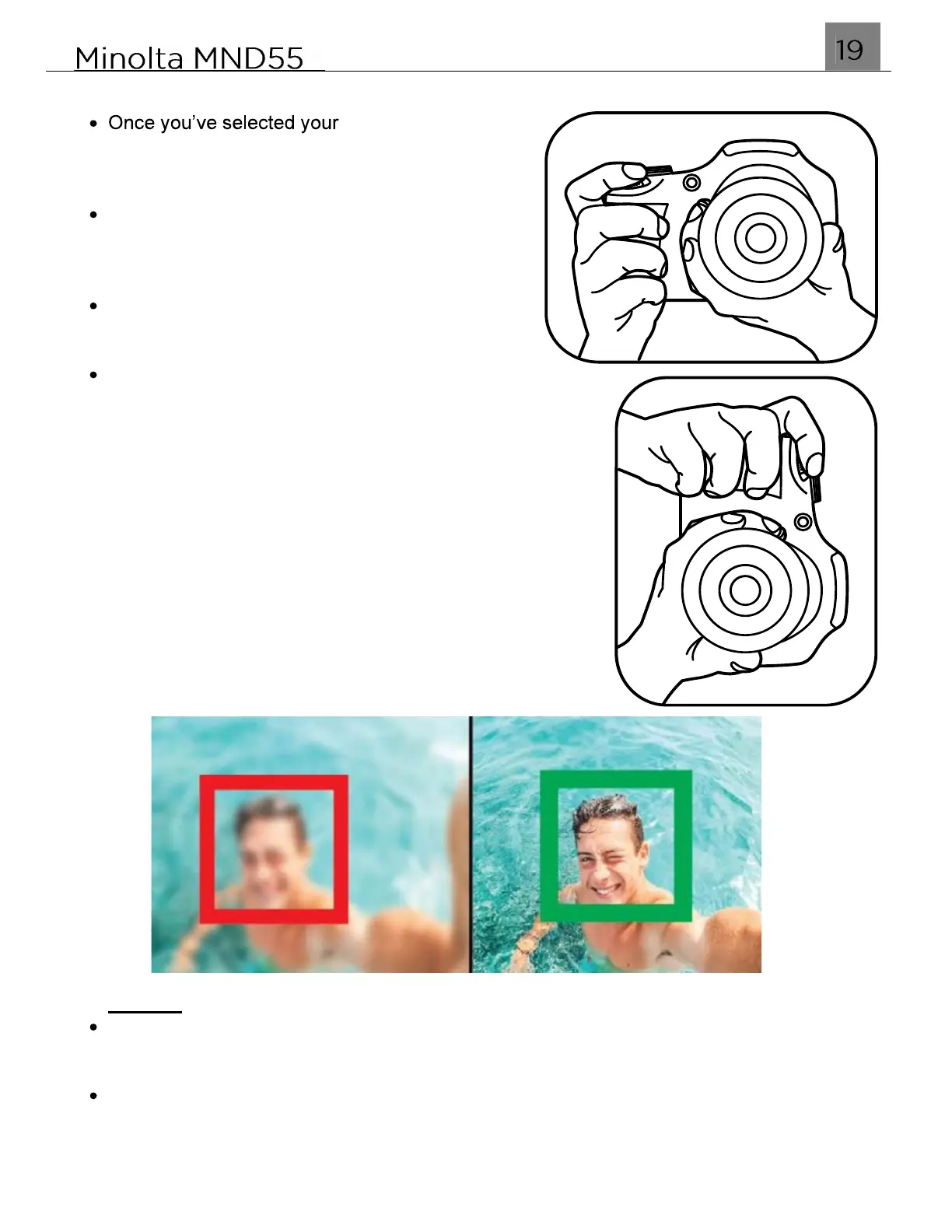
Press the SHUTTER button halfway to focus on
the subject. When the focus frame turns green, press
the SHUTTER button down completely to capture the
photo.
When half-pressing the SHUTTER button, the lens will
attempt to focus on your intended subject. Once a
satisfactory focus is achieved, the monitor will display a
green rectangle and make a beep sound to notify you
that it has achieved a clear focus. You may then fully
press the SHUTTER button to the capture the photo. If
the monitor displays a red rectangle, then the lens
cannot achieve a clear focus and you need to adjust
your shooting distance or the photo will capture blurry.
NOTES:
The number of photos that can be captured at a particular resolution will be displayed
at the top of the screen.
The number of remaining photos is determined by the selected photo resolution. The
higher the photo resolution setting, the lower the number of photos you are able to be
save to the memory card. Before capturing any photos, you can select a preferred
photo resolution within the settings menu.



 To Next Page