4.0 Playback Mode
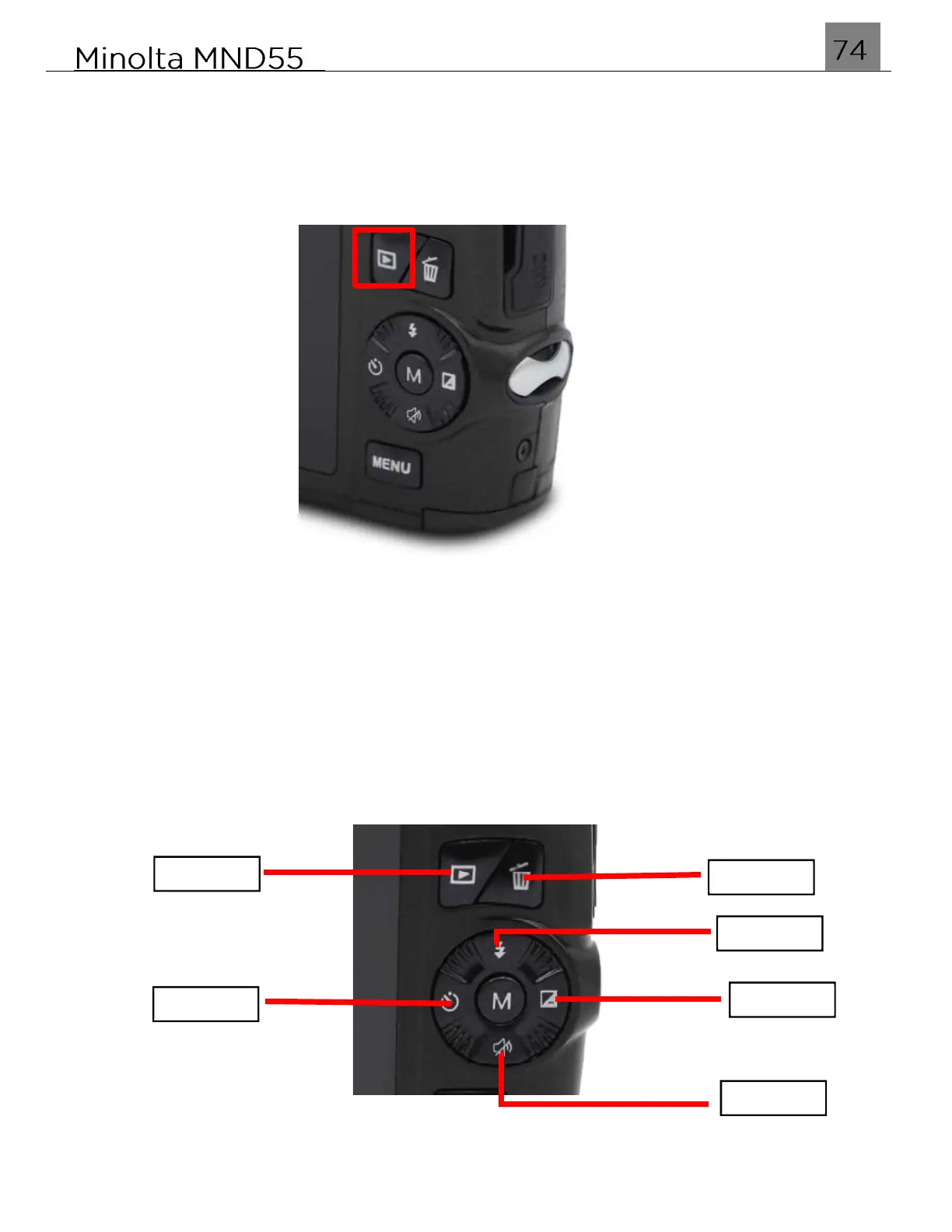
To enter Playback mode, simply press the PLAYBACK button as shown in the
figure below. In this mode, you can review all of the photos and videos captured.
Press the LEFT and RIGHT buttons to scroll through your photo and video files.
Press the MODE/OK button to view the selected file.
When viewing a photo press and hold the ZOOM IN button to zoom in on the picture
on the screen; press and hold the ZOOM OUT button to view the entire image. While
zoomed in, use the UP, DOWN, LEFT or RIGHT buttons to move the image on the
screen.
While viewing a recorded video, press the MODE/OK button to start the video, press
the MODE/OK button again to pause the video.
Press the DELETE button to delete the current photo or video. To exit Playback mode
and return back to shooting, press the PLAYBACK button again.
Left
Right
Delete
Playback
Down
Up



 To Next Page