5.0 Wi-Fi
This setting allows to enable or disable Wi-Fi for connecting your camera to your
smartphone. When connecting your MND55 to your smartphone, you can utilize
your smartphone as a remote viewfinder with live viewing, fully control your camera,
and transfer all captured photos and videos to your smartphone.
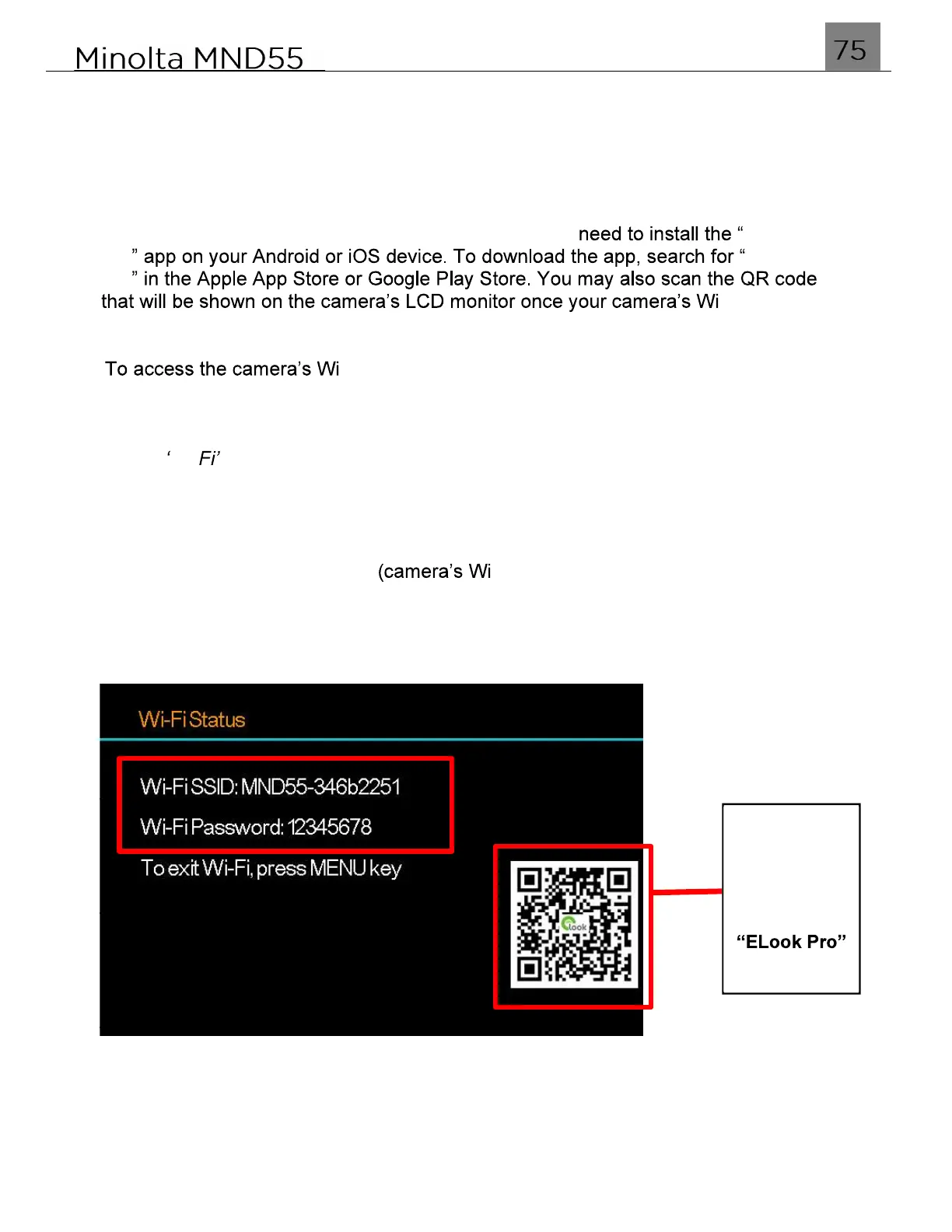
To wirelessly operate the MND55 camera, you will first ELook
Pro ELook
Pro
-Fi has been
enabled.
1.
-Fi settings in any mode, press the MENU button.
2.
Select the Gear icon on the bottom of the left side of the screen by pressing the
LEFT button, and then pressing the DOWN button.
3.
Press the RIGHT button to enter the setup menu.
4.
Select Wi- using the UP or DOWN buttons and press the MODE/OK button to
enable Wi-Fi. The Wi-Fi status screen will now display and will broadcast a Wi-Fi
signal.
Once you enable Wi-Fi, the SSID -Fi network name) and password are
displayed here for connecting to your smartphone.
Scan QR
Code with
Smartphone
to quickly
App



 To Next Page