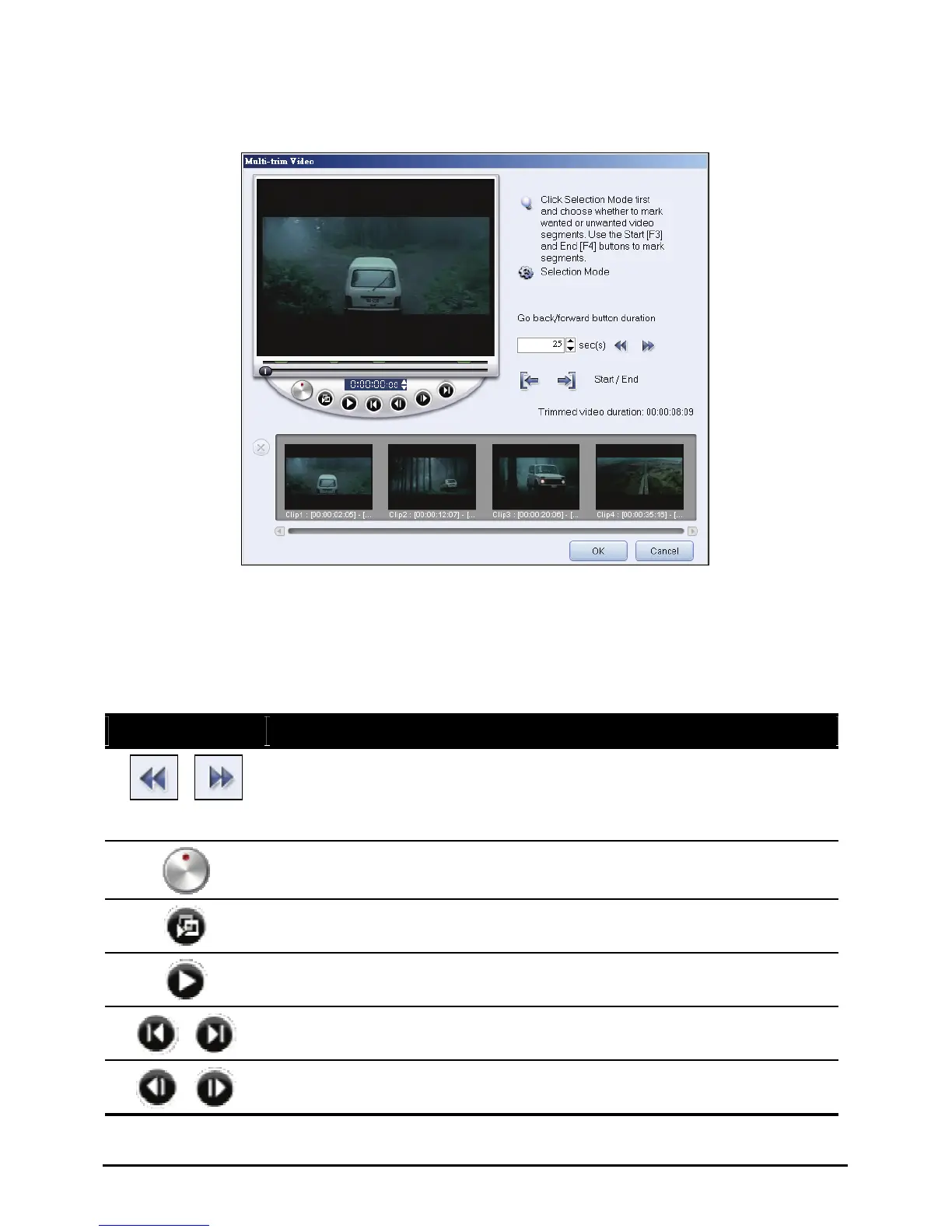
4. Repeat step 3 as required until you have marked all the segments you want
kept or removed.
5. Click
OK when finished. The video segments that you kept are then inserted
onto the Media Clip List.
Multi-Trim Video Control
Control Button Description
/
Reverses or advances through the video in fixed increments. By
default, these buttons move up or down through the video in
increments of 25 seconds. To change this, tap the up or down arrow
to adjust the value.
Click and hold to open the speed bar. Select a speed and hold it there
to quickly reverse or advance through the video.
Plays the trimmed segments.
Plays the whole video.
/
Moves to the start or end frame of a trimmed segment.
/
Moves to the previous/next frame in the video.
99



 To Next Page