Contacts keeps a list of names, addresses, and
phone numbers.
Chapter 6
Calculator provides basic arithmetic,
currency conversion, and measure conversion
functions.
Chapter 7
Tools
File Manager transfers multimedia files
between a storage card and the device’s flash
memory.
Chapter 8
Settings Customizes the system settings. Chapter 9
Using the Soft Keyboard
There are occasions when you input text or numbers to your device. For example,
you have to enter names, addresses, and phone numbers in the Contacts program.
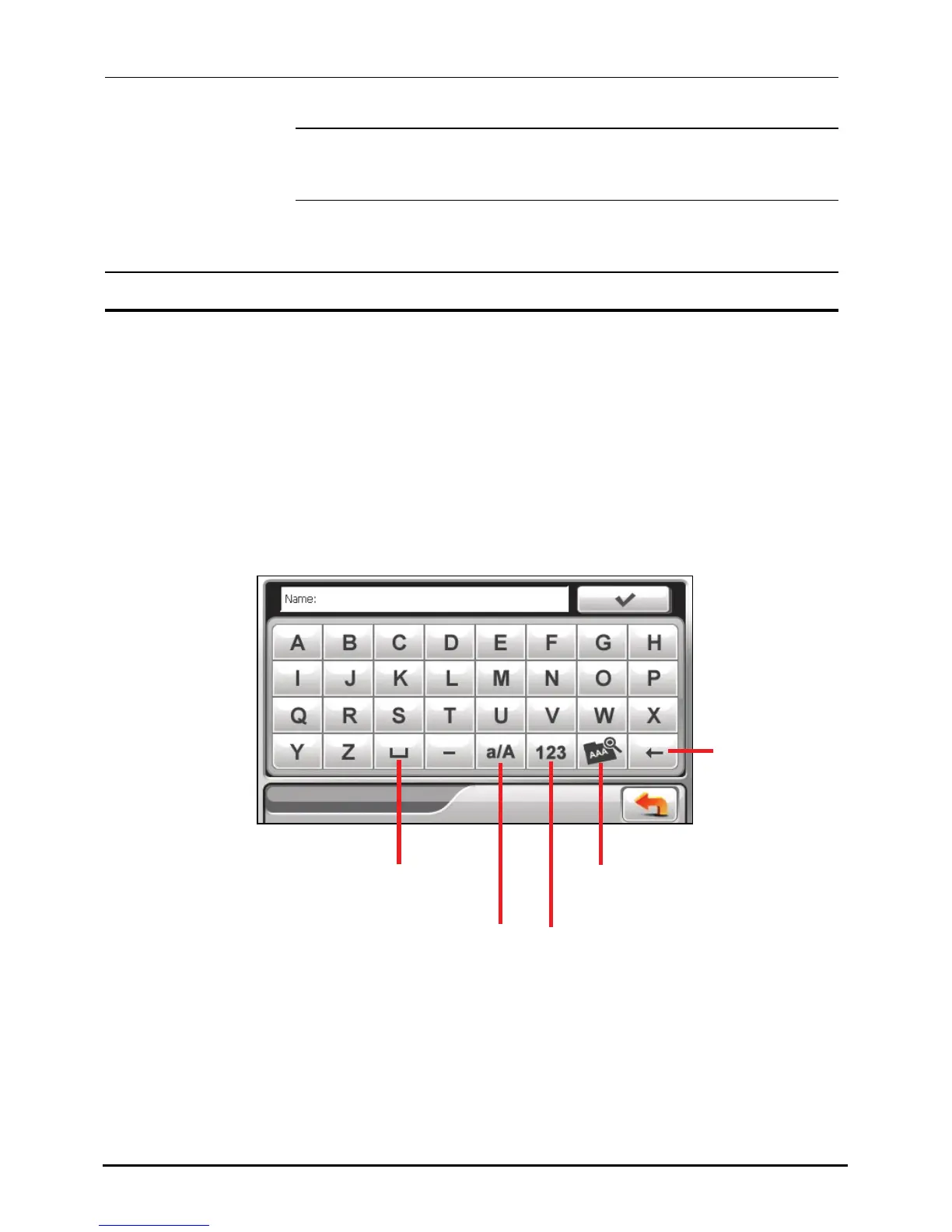
On such occasions, the soft keyboard as shown below will appear on the screen.
Depending on the current operation, either the alphabet keypad or the
number/symbol keypad appears.
Alphabet Keypad
Backspace
Enable umlaut.
Switch to the
number/symbol keypad.
Spaceba



 To Next Page