6-24 Mx100/200 Series Operation Manual
<Figure 6-20 가 Select Fiducial Mark >
Mark types include White and Black. Choose a suitable one depending on the
color of mark on
PWB and click ADD or Remove.
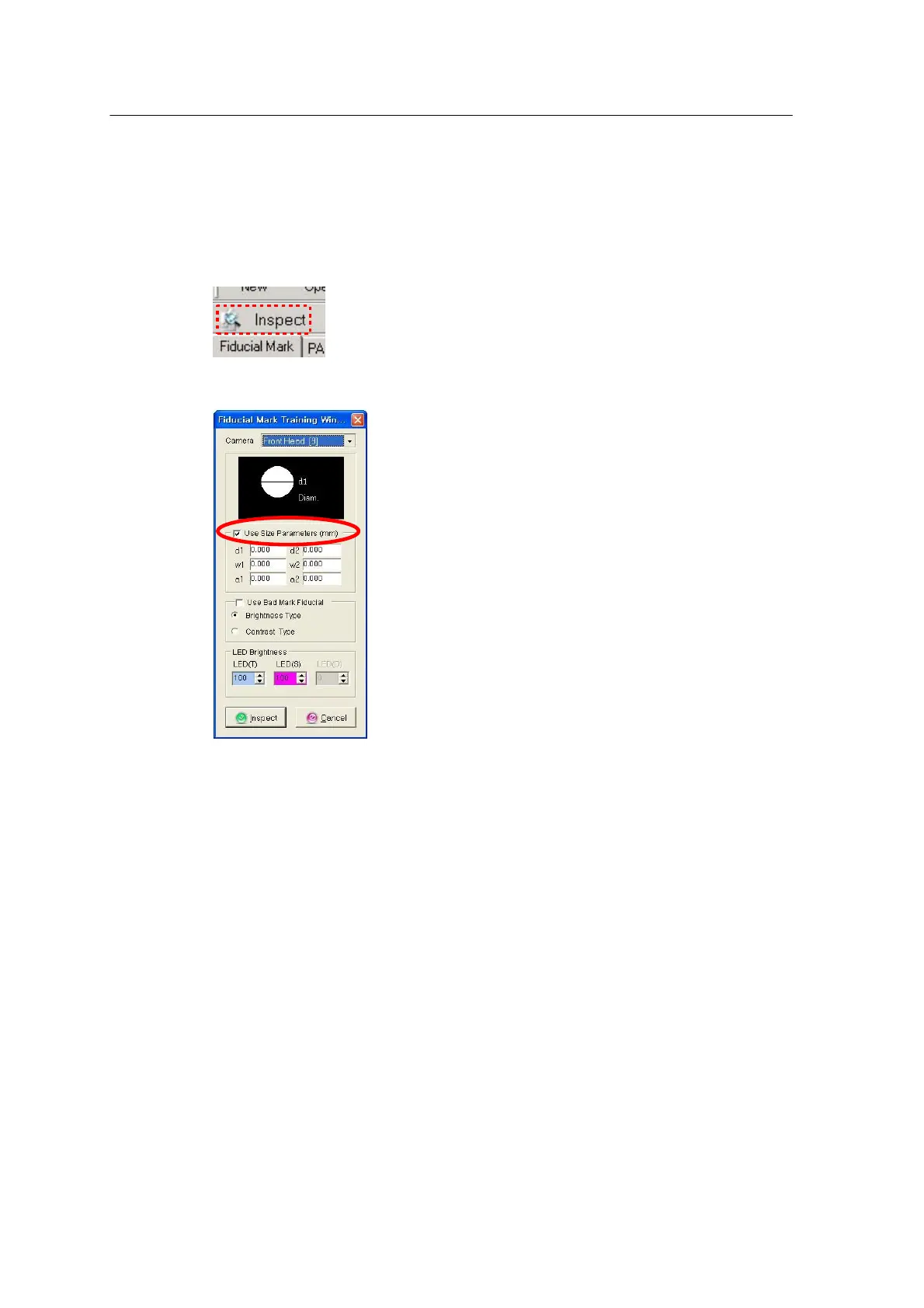
Choose the Inspect icon in the Fiducial Mark window to inspect mark.
‘Use Size Parameters’ determines Real or Geometric mode for fiducial mark
inspection.
• Use Size not selected: Real (area) mode is applied.
Setup process: Skip Use Size selection > Select Camera 9 > OK
• Use Size selected: Geometric mode is applied.
Setup process: Select Use Size > Select Camera 9 > Enter a mark size
(d1,d2, etc.) > OK ‘Use Bad Fiducial Mark’ determines use of Bad Fiducial
Mark.
This option is selected to use Bad Mark. Where Use Size is not selected, Bad
mark is automatically applied for mark inspection.
Inspect and apply Fiducial Mark DB
- This function is used to define the recognition area for the entered fiducial
mark.



 To Next Page