6-44 Mx100/200 Series Operation Manual
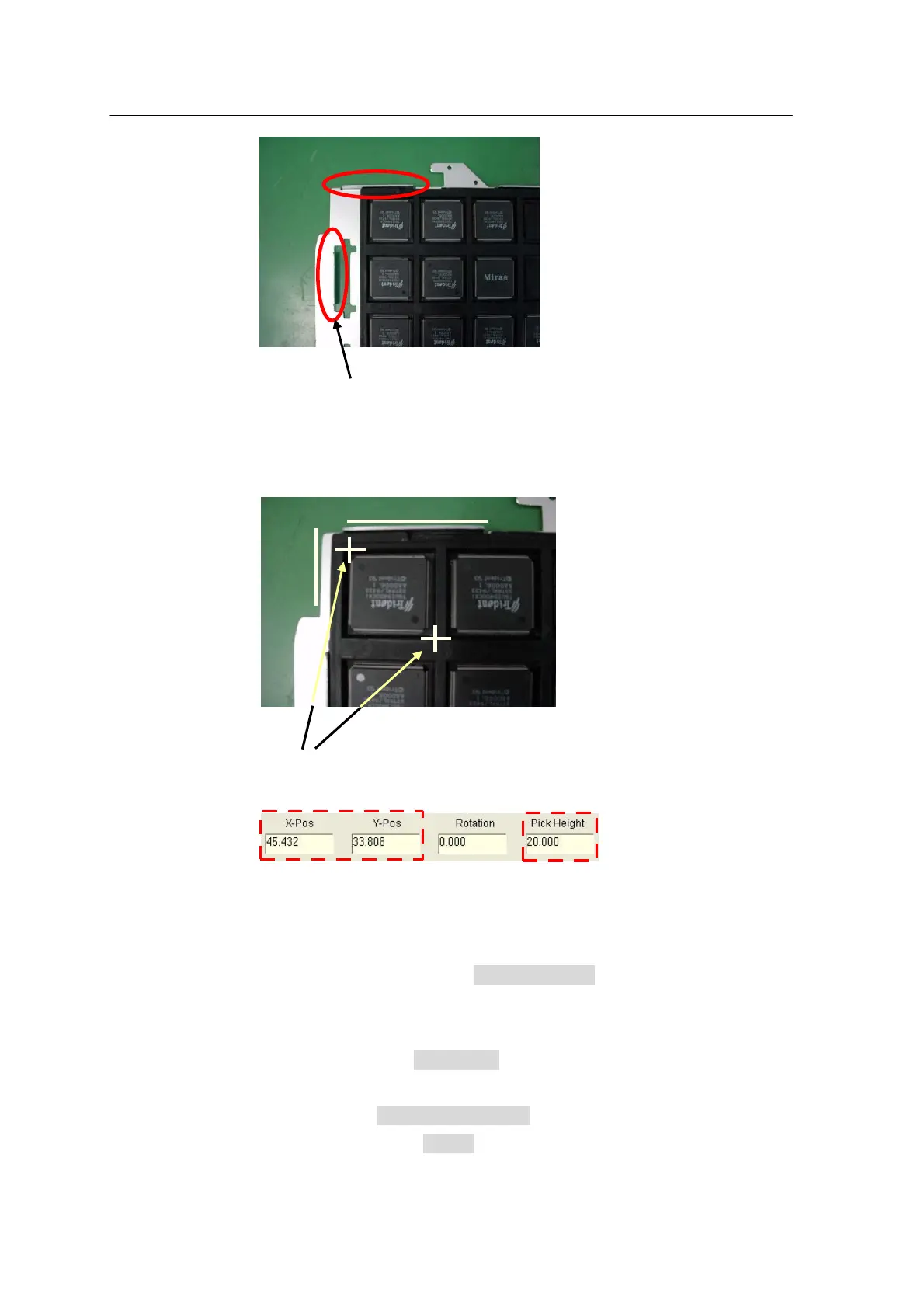
Fix the parts tray to the position of the pallet marked in red.
2 Point Teaching
1 2
1. For the part at the bottom left of tray displayed through I/O control, set
Head Camera to
ON and enter two points through 2 point teaching by moving the camera
through the Teaching Box. Then, the position data will be automatically
entered in Reference X,Y (pickup position).
2. Lower down the Precision Z to let the nozzle tip contact the upper
surface of part. Key-in the lower characters pp1 on the Mr Terminal and the
current position of PZ (Precision Head) will be displayed. Enter the value for
Z position and press the DOOR button to move the XY axes to the standby
position (Setting Z-axis height for Pickup)



 To Next Page