50 TX3 Nano Configuration Manual
Copyright 2019
Schedules and Holidays
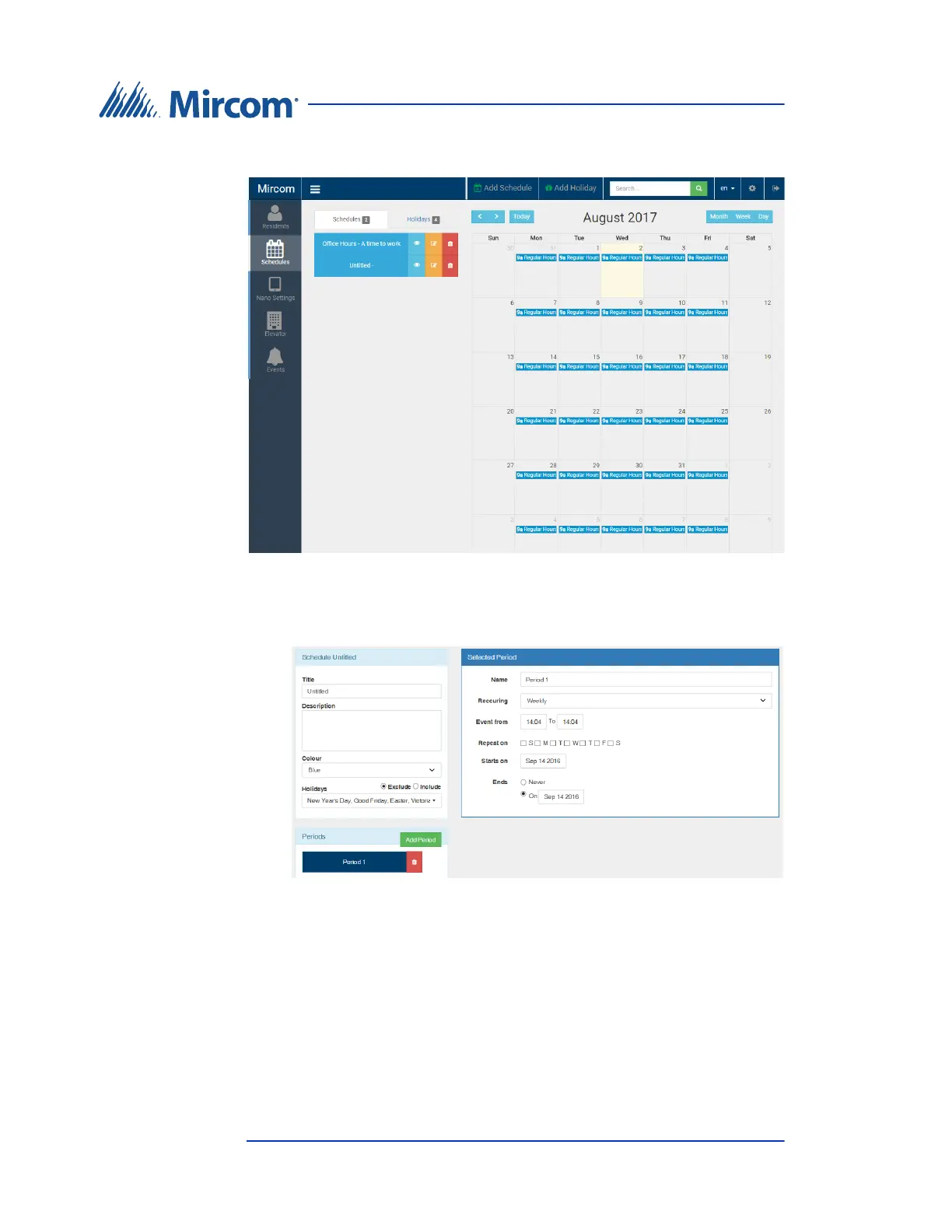
The Schedules window appears.
Figure 27. Schedules
2. Click Add Schedule or Add Holiday at the top of the screen.
Figure 28. Add Schedule
3. Provide the following information:
Title. Type a name for the schedule or holiday.
Description. Type a more detailed description.
Color. Select a color that represents the schedule or holiday in the
calendar.







 To Next Page