5330/5340 IP Phones – User Guide
- 96 -
USING THE CORDLESS HANDSET
The cordless handset provides office mobility, allowing you to make and answer calls while
away from your desk. Replacing the standard corded handset, the cordless handset contains
a rechargeable battery that charges in the handset cradle when not in use.
To use the Cordless Handset, you must pair the handset with the phone. For more
information, see “Pairing the Cordless Module and Accessories” on page 94.
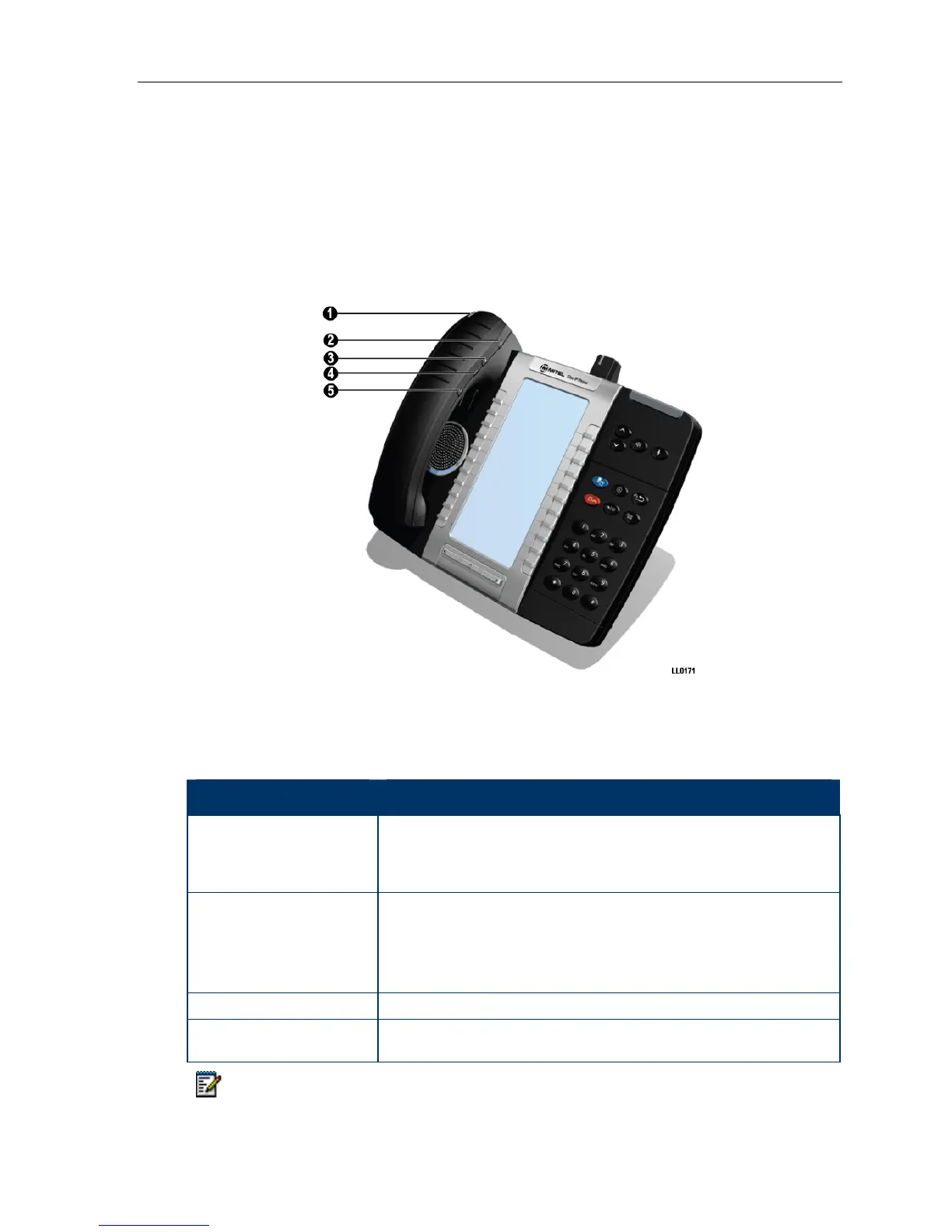
Figure 3. Cordless Handset on 5300 Series Phone
Elements of the Cordless Handset
Feature Function
1) Cordless Handset LED
Blue: Light-emitting diode (LED) indicating the status of the handset.
Green: LED indicating the status of the handset battery.
For more information see Cordless Handset LEDs on page 98
2) Hookswitch Button Lifting the handset from the cradle activates the handset. If the handset
is already out of the cradle, pressing the hookswitch takes the handset
off-hook. Pressing the hookswitch again returns it to on-hook.
Pressing the hookswitch while on a speakerphone call, moves the call
to the cordless handset.
3) Mute button Mute allows you to turn the microphone off during a call.
4) Volume Up and
5) Volume Down buttons
Up and Down provide volume control for the ringer and
handset/headset.
Note: The IP Phone deactivates the cordless handset when a corded handset is
plugged in.




 To Next Page