5330/5340 IP Phones – User Guide
- 26 -
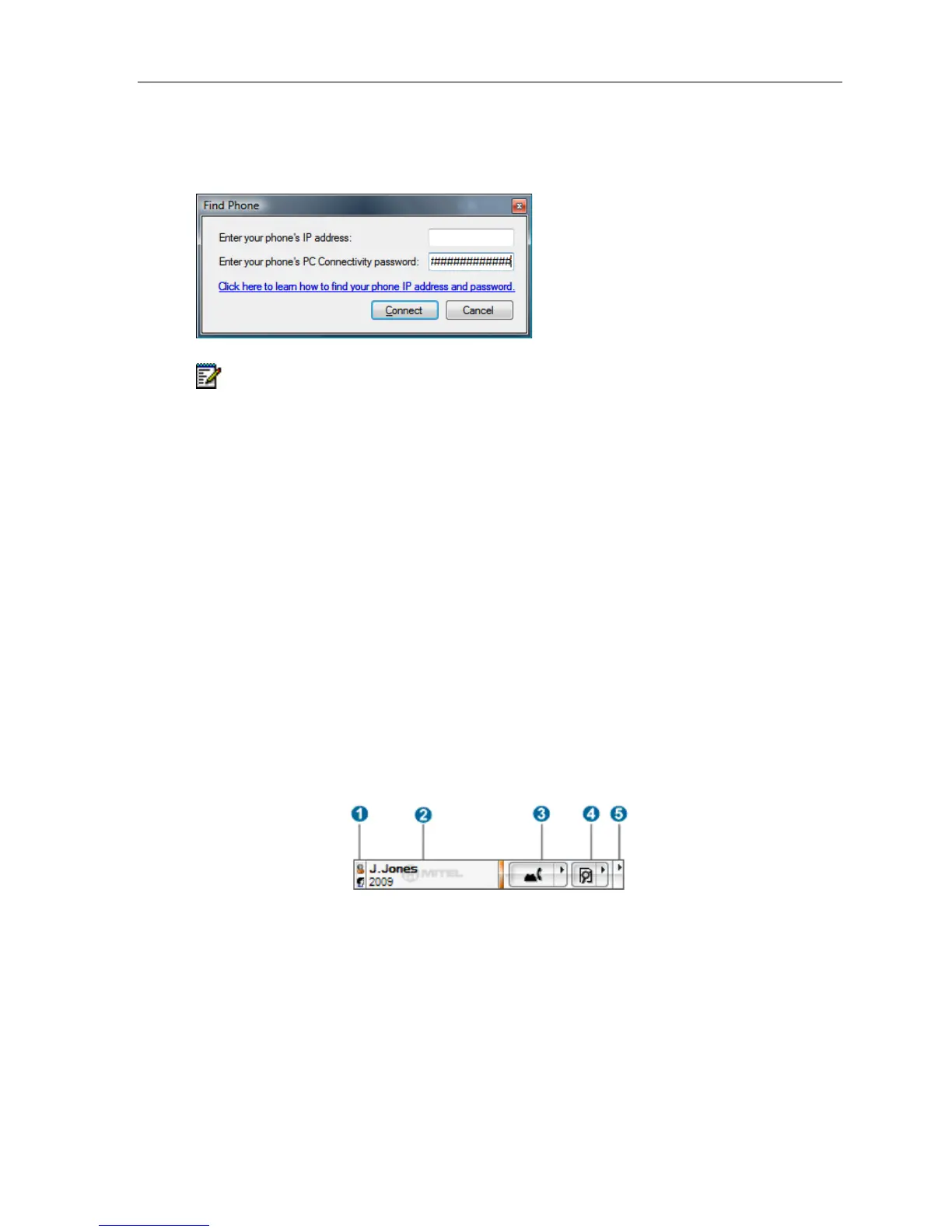
Association by IP Address (Direct Association)
If association by DN fails or if it is not an option, the phone can still be associated with by IP
address.
Note: In this case, IOC will not be able to find the phone again if the phone changes IP
address. You will have to re-associate the phone at the new address. The Find Phone ...
command is available from IOC's tray icon and main menus.
Display the Integrated Office Companion Application Toolbar
To display the Telephony Toolbar if it is hidden:
• Right-click on the Task Bar and check Telephony Toolbar in the Toolbars menu.
Hide the Integrated Office Companion Application Toolbar
To hide the Telephony Toolbar if it is hidden:
• Right-click on the Task Bar and check Telephony Toolbar in the Toolbars menu.
Elements of Your Integrated Office Companion
Integrated Office Companion – Telephony Toolbar
The IOC Telephony Toolbar application runs as a toolbar in your Windows Task Bar. The
Telephony Toolbar allows enhanced integration between the 5330/5340 Phone, your PC, and
various Microsoft Office applications.





 To Next Page