5330/5340 IP Phones – User Guide
- 23 -
Upgrading the Integrated Office Companion Application to Enhanced
Mode
If you have previously registered Integrated Office Companion with a Trial License Key and
now wish to upgrade to Enhanced, after purchasing an Enhanced License Key, do the
following:
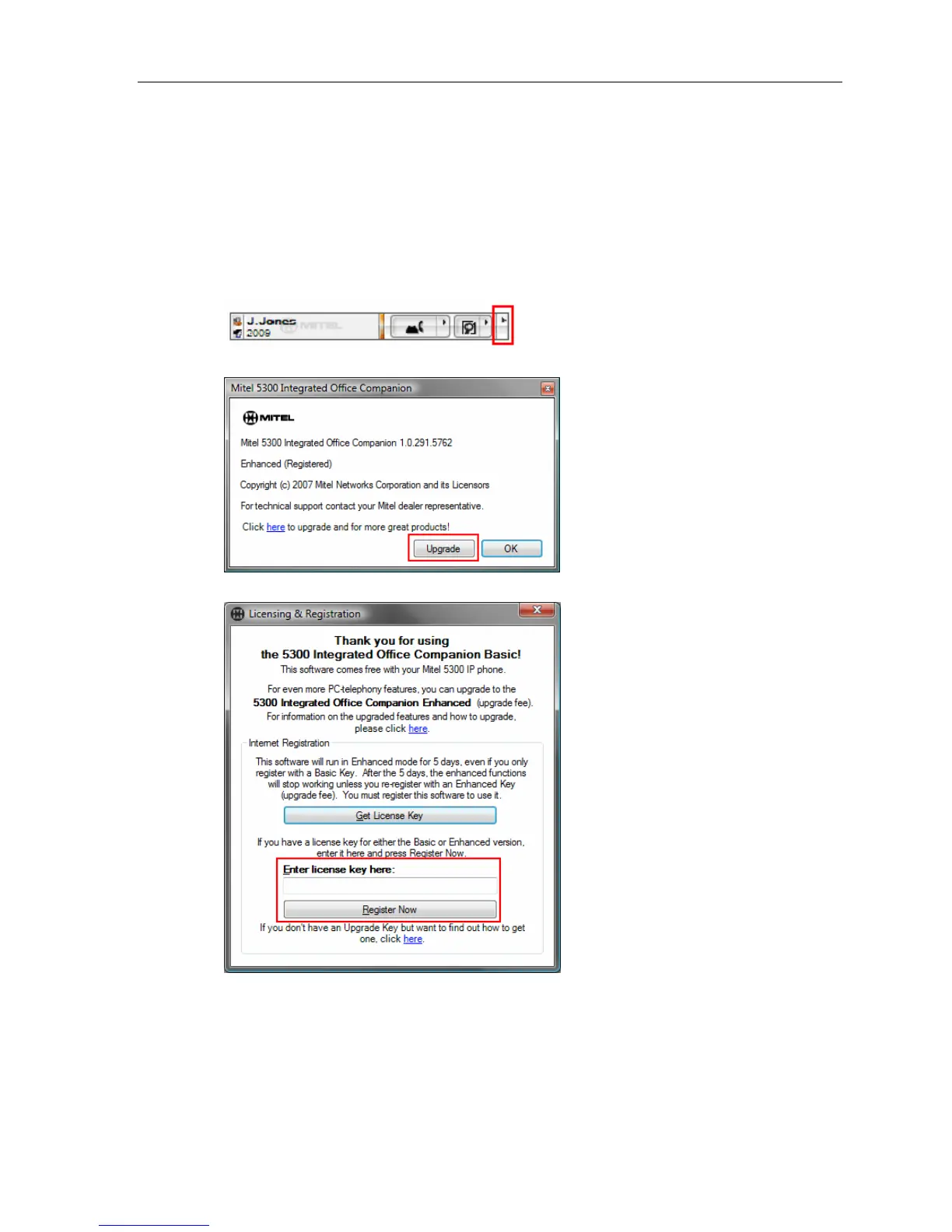
1. Right click Telephony Toolbar Menu.
2. Select About… from the menu that appears.
3. An about dialog should appear.
4. Click Upgrade. The Licensing and Registration dialog will appear.
5. Enter your Enhanced License Key and click Register Now.




 To Next Page