5330/5340 IP Phones – User Guide
- 83 -
About the Visual Voice Mail Main Window
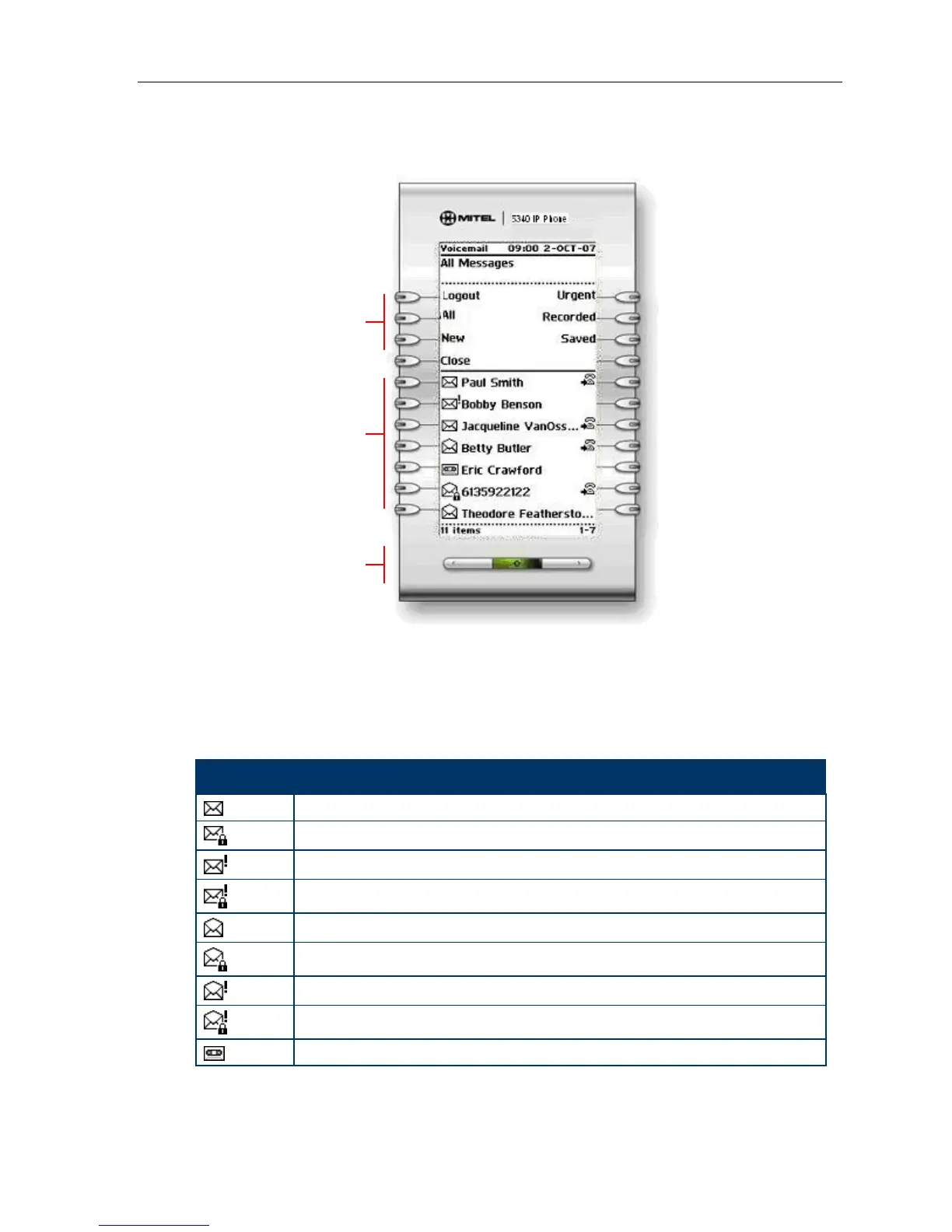
The Voice Mail Application Main Window
The Voice Mail application main window contains a chronological list of the voice messages
in your mailbox, with the oldest message listed first. Use the Navigation keys to scroll through
the messages. By default, only new messages are listed when the main screen opens. You
sort the list by message type using the sorting keys (All, New, Urgent, Recorded, Saved) in
Control keys area. Messages are marked in the following ways:
Icon Type of Message
New (never played)
New Confidential
New Urgent
New Confidential Urgent
Saved
Saved Confidential
Saved Urgent
Saved Confidential Urgent
Recorded calls recorded using the Record A Call feature
Control Keys
Message List
Navigation Keys





 To Next Page