5330/5340 IP Phones – User Guide
- 32 -
4. Check the “Display User’s IM Presence on my phone” check box
5. Select the contact from the drop down
6. Click Save
Missed Calls
Missed Calls Menu
To display the Missed Calls menu:
• Right-click on the large portion of the Telephony button. Select Missed Calls from the
popup menu.
or
• Right or left-click on the small portion of the Telephony button. Select Missed Calls from
the popup menu.
or
• Left-click on the Tray Icon. Select Missed Calls from the popup menu.
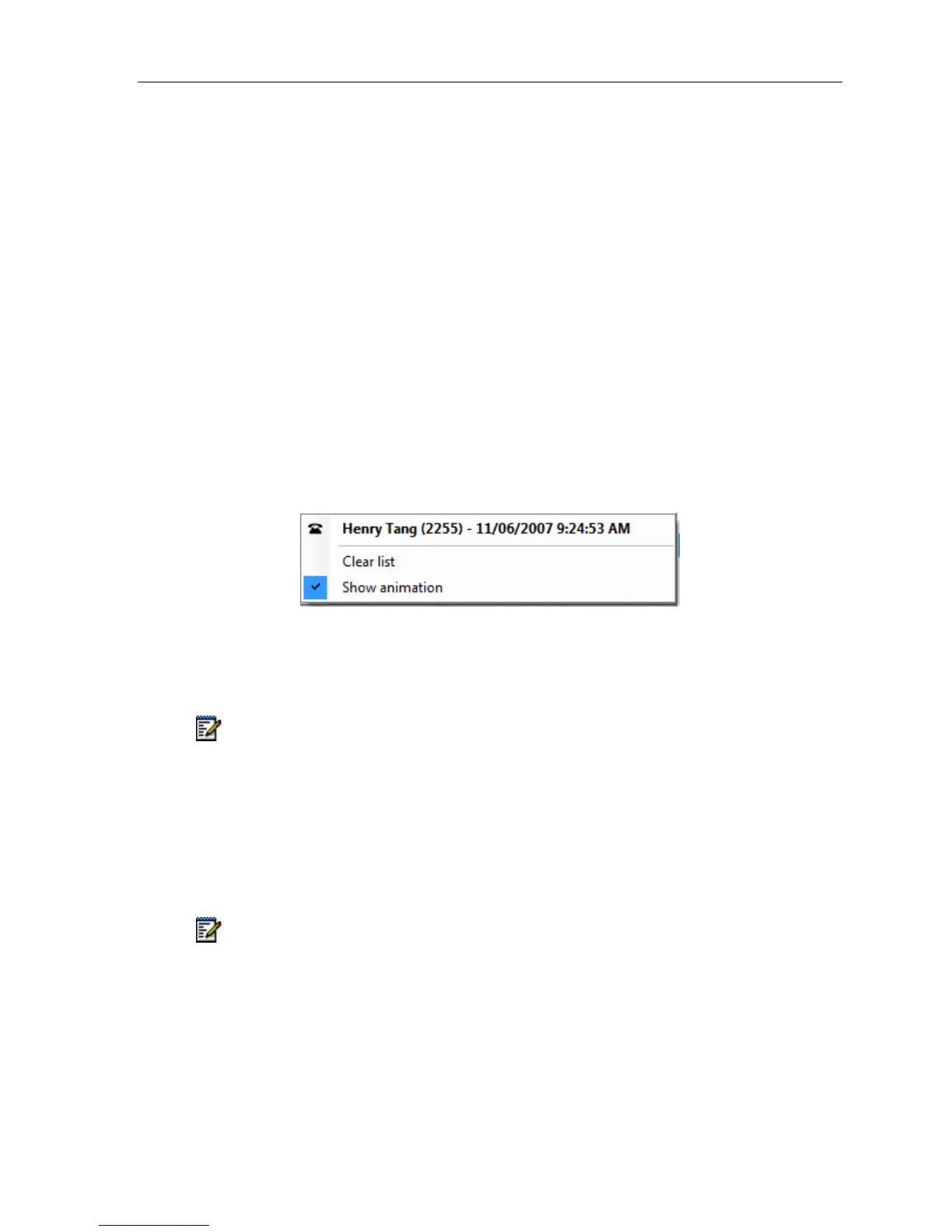
Telephony Toolbar – Missed Calls Menu
By default the Missed Calls Menu displays a list containing up to 20 of the last missed calls.
Clicking a missed call dials the number of the caller.
Note: If you are on the phone and receive a second call that goes to voicemail, it will
NOT be added to the missed call list. If the phone is idle, an incoming call occurs and
then goes to voicemail, the call is added to the missed call list. If call forward is enabled,
no calls will be added to the missed call list.
Incoming Calls
When an incoming call occurs, the name and number of the caller is displayed in the CLID
field in two rows of text, with the name portion highlighted in bold.
Note: The CLID is displayed until the user clicks in this field, or another call is received.
Once an incoming call has occurred, there are a number of functions available:
• Answer – Left-click the large portion of the Telephony button to answer the incoming
call
• Call – Left-click the large portion of the Telephony button to call back the last caller





 To Next Page