5330/5340 IP Phones – User Guide
- 99 -
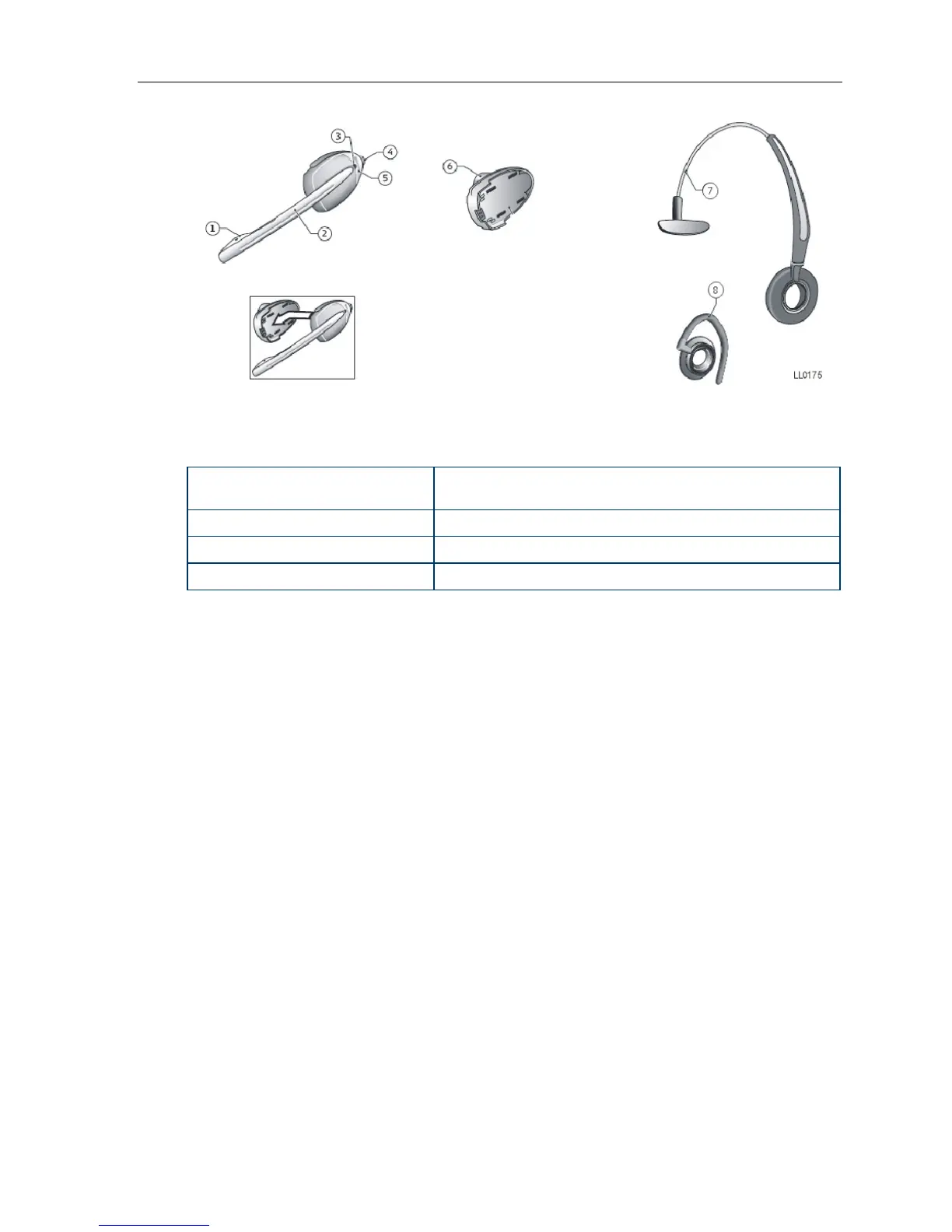
Elements of the Cordless Headset
1) Microphone 5) Hookswitch and pairing button
(gray section with logo imprinted)
2) Boom arm 6) Speaker
3) Link indicator (LED) 7) Headband
4) Volume control with mute switch 8) Ear hook
Answer a Call
Do one of the following:
• Lift the cordless headset from the cradle.
• If the headset is already out of the cradle, press the hookswitch button on the headset.
Hang Up
Do one of the following:
• Replace the cordless headset in the cradle.
• If the headset is already out of the cradle, press the hookswitch button on the headset.
Dialing – Auto Dial Disabled
To dial a number with Auto Dial disabled:
1. Lift the headset or press the hookswitch.
2. Make the call using the dial pad, or press a programmed speed dial key on the phone.





 To Next Page