5330/5340 IP Phones – User Guide
- 39 -
To specify pre-defined dialing rules:
/rules:c:\path\DialingRules.xml or /rules:\\<enter the UNCPathToShare>\DialingRules.xml
By default IOC allows you to define your own rules.
The command line options are stored in the settings. Subsequent sessions of IOC will use
the saved settings.
If the path contains spaces, the /rule: command should then be quoted:
"/rules:\\Machine\Rule share\DialingRules.xml"
If you are allowed to use rules and the command line is used to import rules from a specific
location, your will be able to see and edit a local copy of these rules. The original copy cannot
be accessed for editing by IOC.
Popup Notification of Incoming Calls
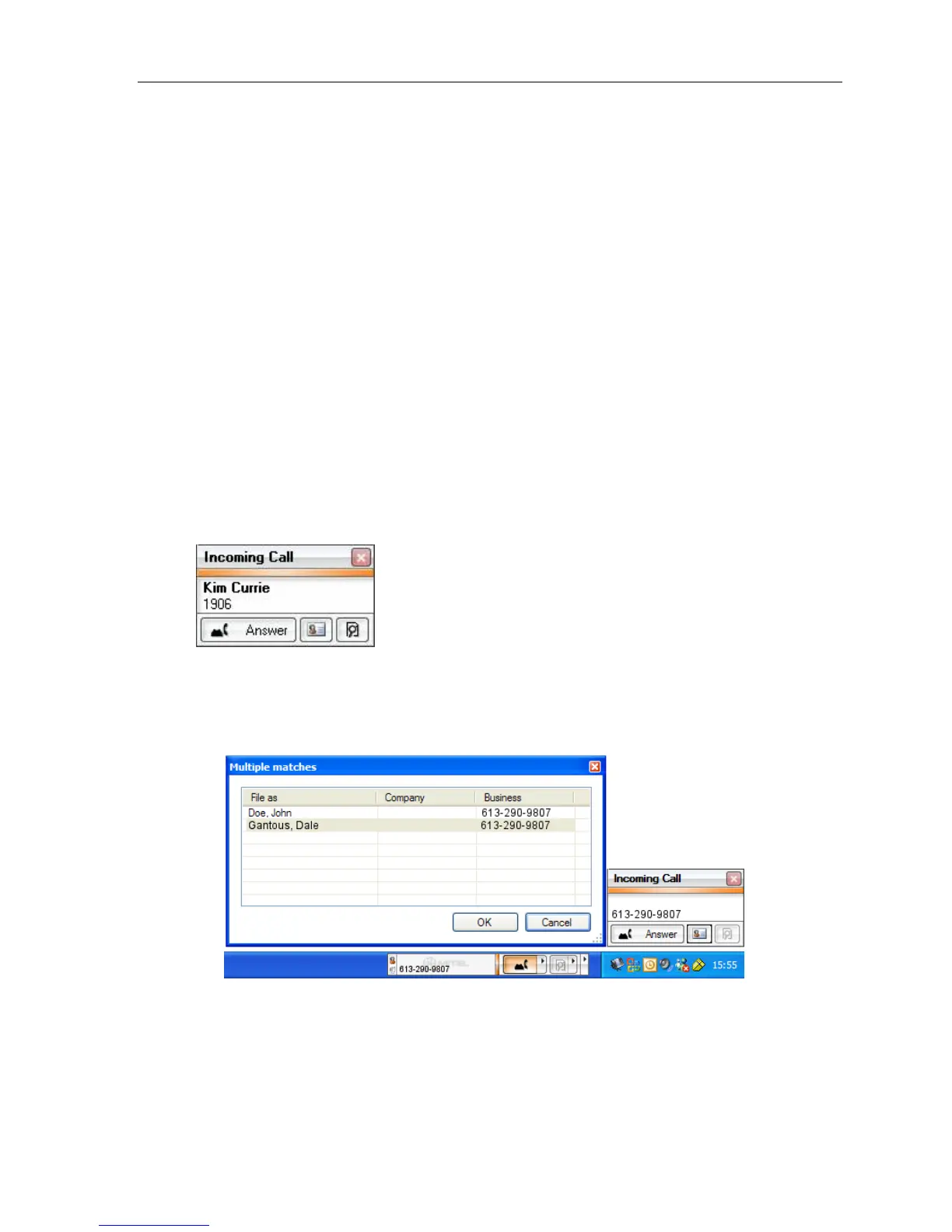
When an incoming call occurs, a popup toast is presented and displays the name and
number of the caller (CLID).
The toast pop-up can be controlled via the settings menu. You can turn the toast pop-up on
or off. The default is off.
Telephony Toolbar – Pop-up Notification
From the pop-up, you can:
• Answer the incoming call
• Do an Outlook Contacts Search based on the CLID (Number and Name search)
• Do a Desktop Search based on the CLID





 To Next Page