5330/5340 IP Phones – User Guide
- 31 -
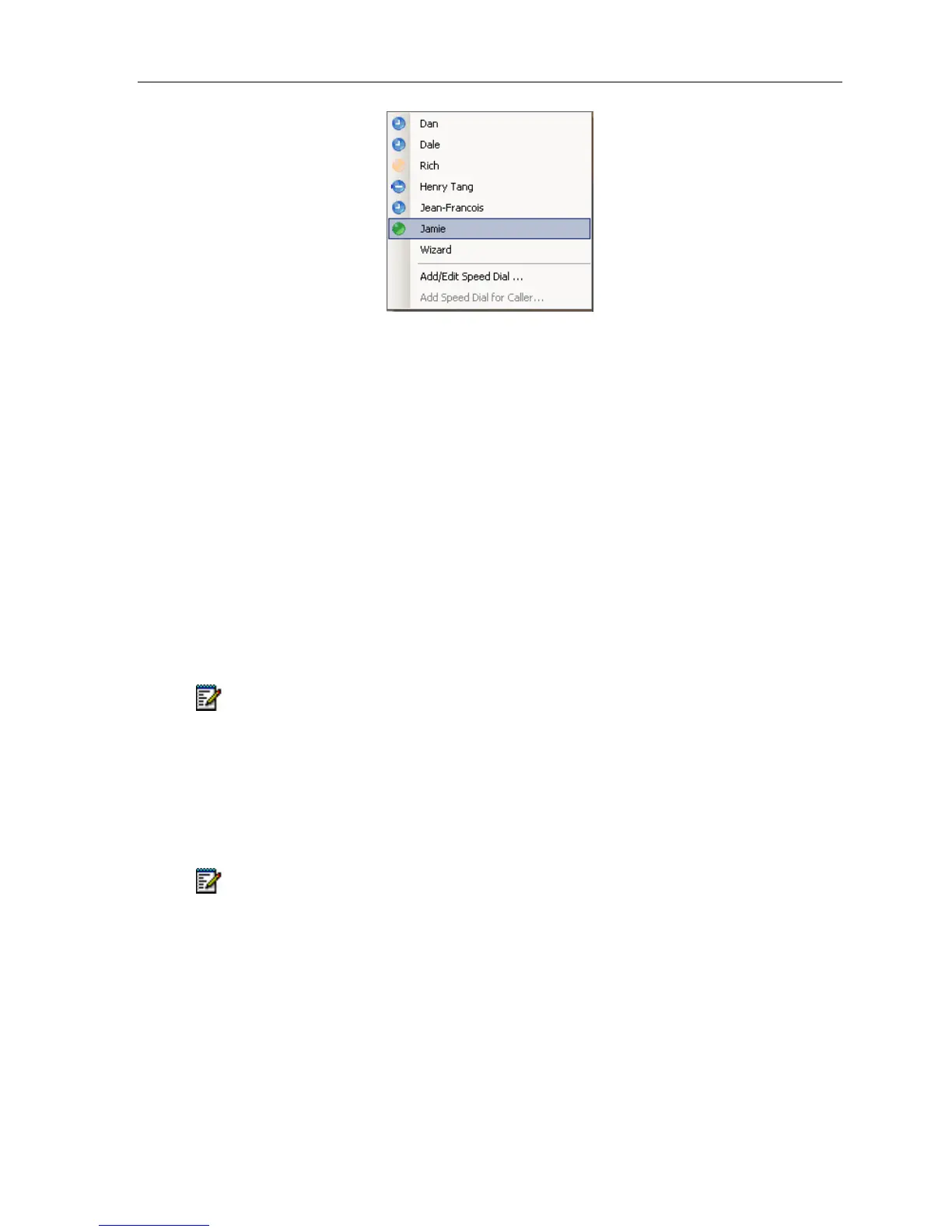
Telephony Toolbar - Speed Dials Menu
The Speed Dials Menu displays a list of all Speed Dial entries programmed on the phone.
Selecting a name from the menu will dial the number on the phone.
Add a new Speed Dial / Edit an existing Speed Dial
To add a new the Speed Dial (or edit an existing one):
Select Add/Edit Speed Dial ….
1. Select a phone button to program.
2. Specify a label for the button.
3. Specify a number to dial.
4. Specify presence information (optional).
5. Specify an alternative number to dial (optional).
Note: For Presence Information you need to have Windows Messenger, MSN
Messenger, Windows Live, or Office Communicator running on your PC.
Presence
With the Integrated Office Companion, you can display presence information in the
Telephony Toolbar Speed Dial menu on the 5330. (This is standard on the 5340 with the
Basic Version)
Note: For Presence Information you need to have Windows Messenger, MSN
Messenger, Windows Live, or Office Communicator running on your PC.
Adding presence to an existing Speed Dial
To add presence to an existing the Speed Dial:
1. In the Telephony Toolbar select Add/Edit Speed Dial …
2. Select a phone button to program
3. The dialog will then populate with the Speed Dial Button’s current setting





 To Next Page