5330/5340 IP Phones – User Guide
- 6 -
USING YOUR DEFAULT PHONE WINDOW AND
KEYS
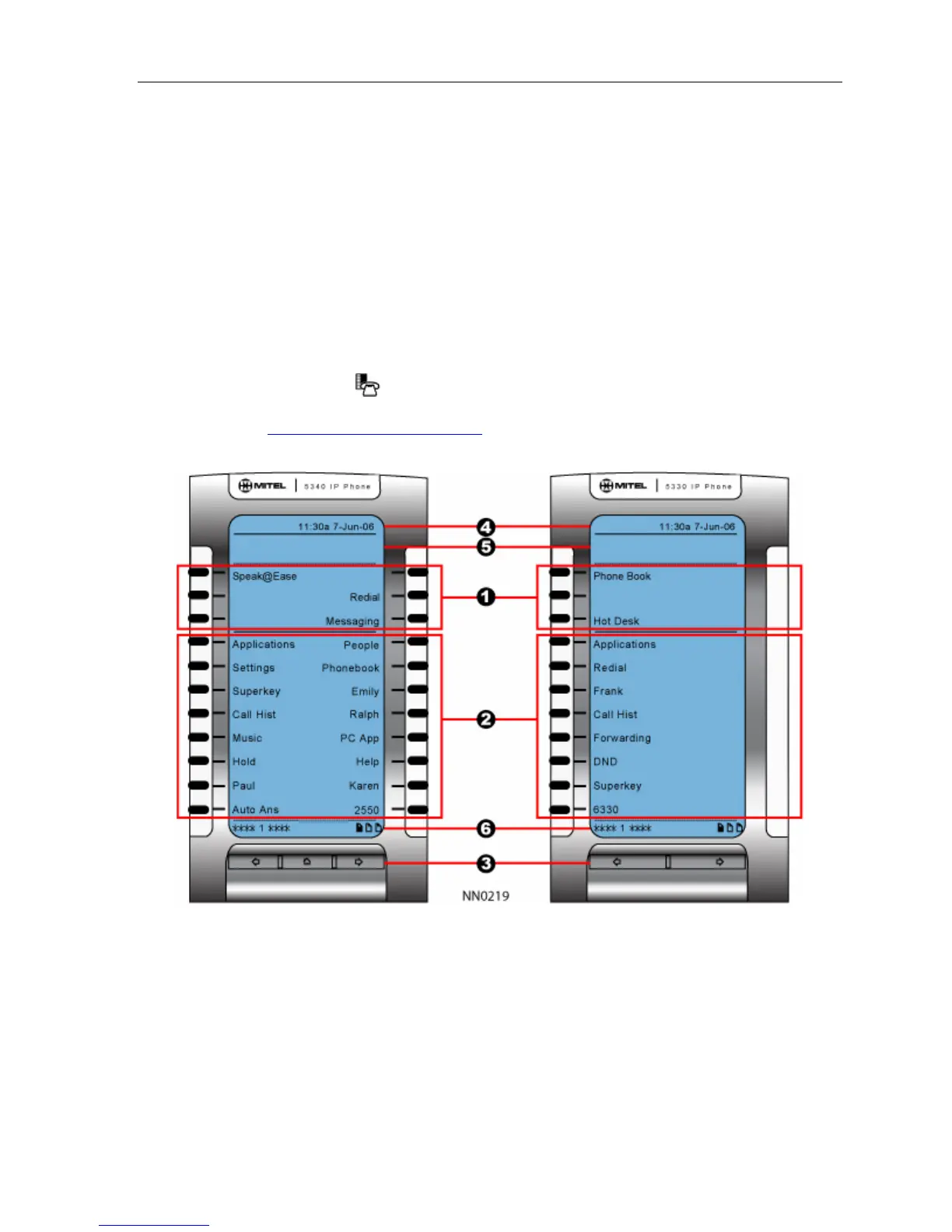
The 5340 and 5330 IP Phone default phone windows and keys are shown and described
below. The Phone window provides access to programmable keys and the main phone
interface.
Getting Started with Your Phone
When you receive your phone, you need to program features and applications. Press the
blue Applications key
to access your phone’s applications. You can then program your
phone’s settings, your contact list using People (5340 IP Phone), Call Forwarding and so
forth. See Using Your Phone Applications
.
5340 and 5330 IP Phone Window




 To Next Page