5330/5340 IP Phones – User Guide
- 22 -
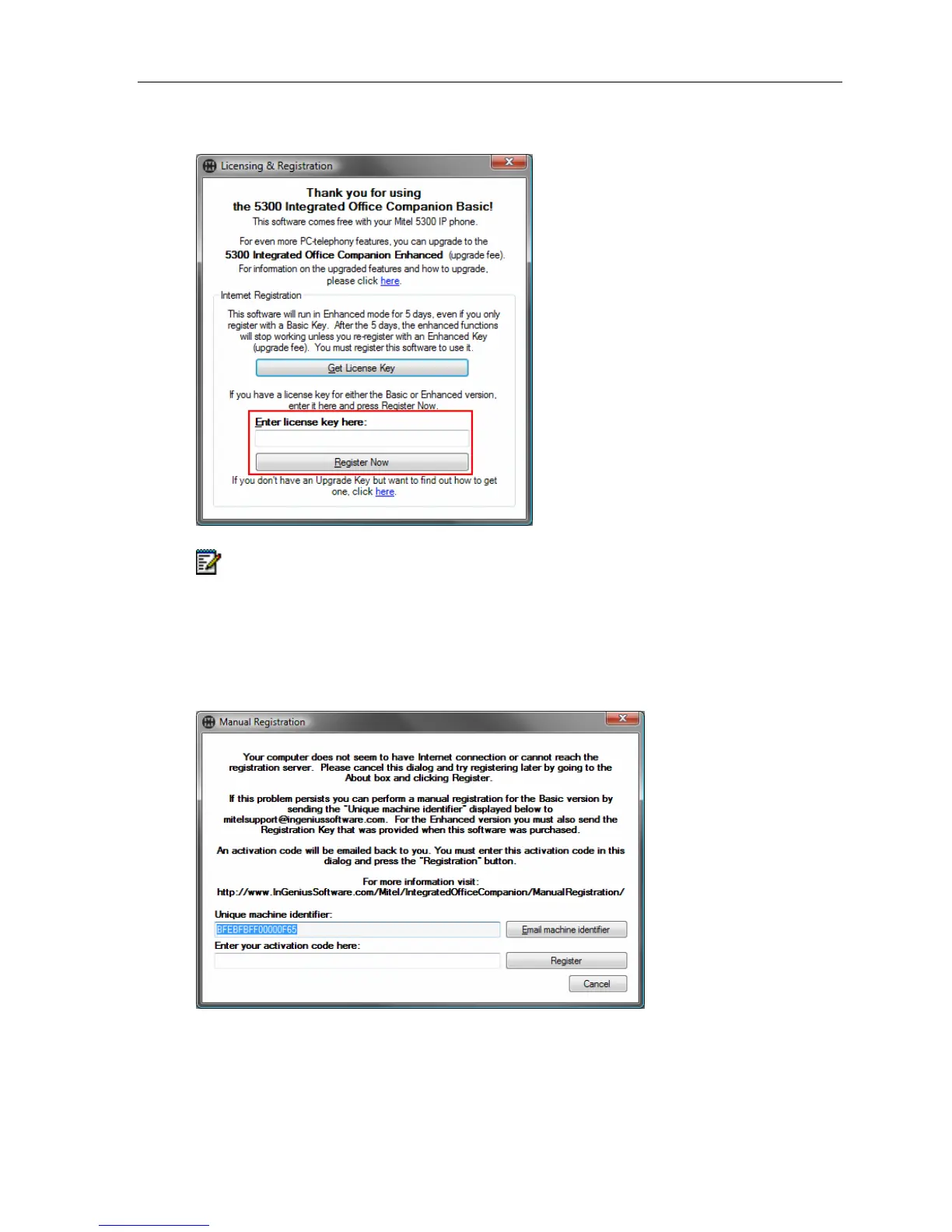
Enter your license key (either a Trial key or an Enhanced key) and click Register Now.
Note: If the Integrated Office Companion is unable to connect with the online registration
system, a Manual Registration dialog will appear instead with a Unique Machine
Identifier. To manually register:
1. Click Email Machine Identifier.
2. An Activation Code will be emailed back to you. Enter the code and click Register to
process the registration.





 To Next Page