5330/5340 IP Phones – User Guide
- 29 -
Note: For these search options to be available, you must have Microsoft Outlook and/or
Microsoft Active Directory installed and configured. Microsoft Outlook must be running.
Contact your system administrator to install these products for you.
To change the search options:
• Left-click on the Search Options Icons.
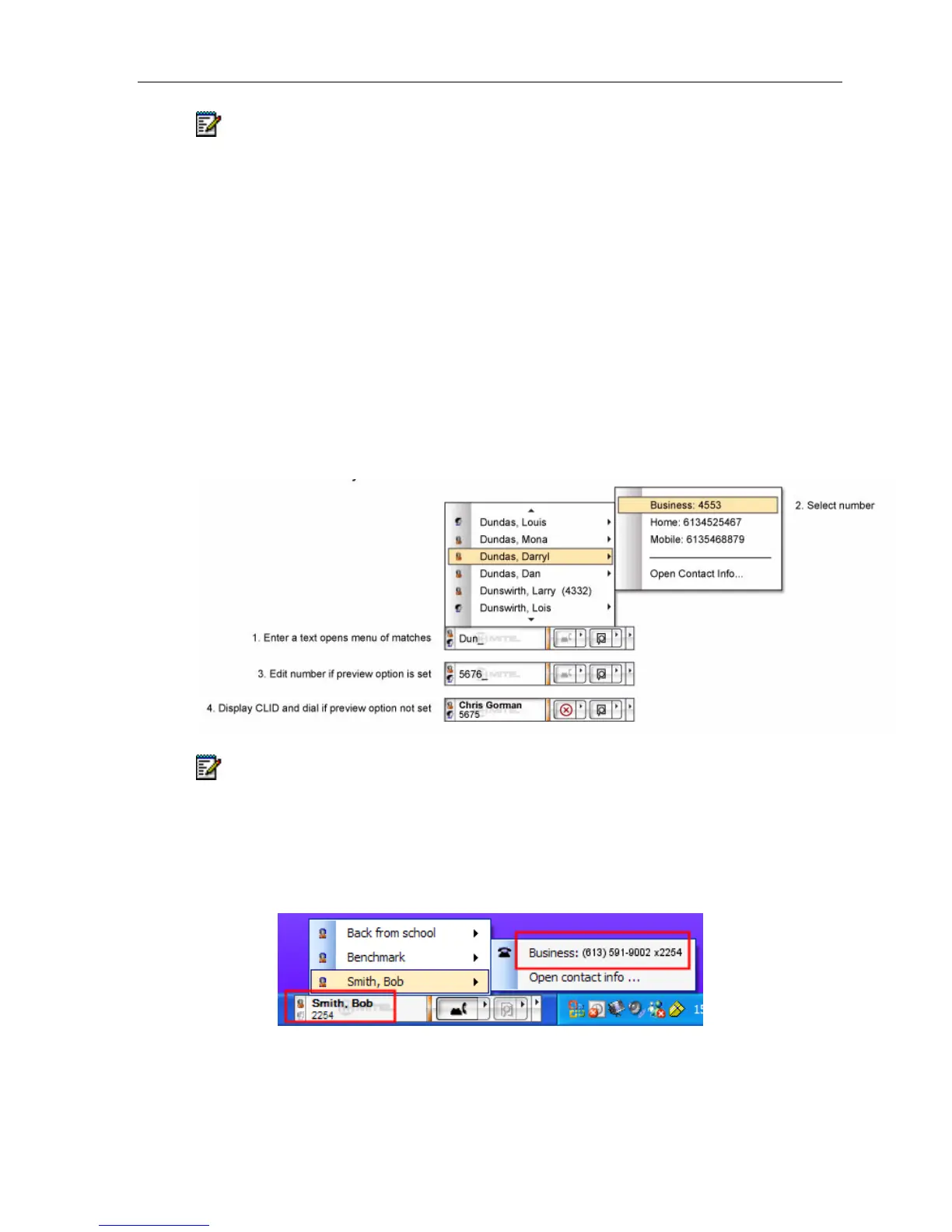
To perform an Outlook and/or Corporate Directory Search using the selected search options:
1. Enter text characters such as a name, or portion of a name into the Text Field. The
characters entered are matched against the First Name, Last Name and Company fields
in the Contact and Corporate Directory records and a search results menu will popup.
2. Select a name from the Search Results. A menu showing all the numbers and their
associated labels displays.
3. Select a number by clicking with a mouse or by pressing the Enter key.
When a number is selected, it will either appear in the Text Field (If Number Preview is
enabled) or dial the number.
Note: If you have Microsoft Active Directory configured, but it is unavailable at this time,
a message will be reported as part of the search list.
Dial extensions (enhanced Feature):
If a phone number dialed contains an extension then once the call is established a menu
offers the user the option to dial the extension.





 To Next Page