EasyManua.ls Logo

ModelCraft FS-T6 - User Manual

ModelCraft FS-T6
236 pages
Go to English
Print Icon
To Next Page IconTo Next Page
Loading...
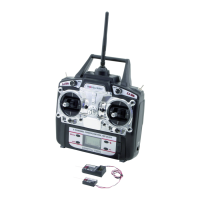
6-Kanal-Fernsteueranlage „FS-T6“
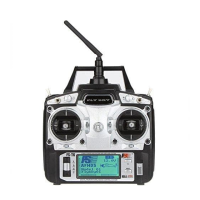
6-Channel Remote Control System „FS-T6“
Télécommande à 6 canaux « FS-T6 »
6-kanaals afstandsbediening „FS-T6“
Best.-Nr. / Item no. / N° de commande / Bestelnr. 40 56 25
Bedienungsanleitung Seite 2 - 59
Operating Instructions Page 60 - 117
Notice d’Emploi Page 118 - 175
Gebruiksaanwijzing Pagina 176 - 233
Version 06/13

Table of Contents

Questions and Answers

  • C
    Connie SawyerAug 2, 2025
    Why does my ModelCraft FS-T6 Remote Control transmitter switch off by itself?
    • C
      Cameron RiveraAug 2, 2025
      If your ModelCraft Remote Control transmitter switches off on its own, immediately or after a short period, the first step is to check the batteries in the remote control. If they are low, replace them with fresh ones.
  • S
    Stephen DuncanAug 8, 2025
    How to improve the short range of my ModelCraft FS-T6?
    • C
      Chad PenaAug 8, 2025
      If you're experiencing a short range with your ModelCraft Remote Control system, consider the following: * Adjust the transmitter aerial to a different angle. * Check the batteries in both the remote control and the receiver to ensure they are adequately charged. * Inspect the receiver aerial for any signs of damage. * Try reorienting the receiver aerials in the model for testing purposes.
  • J
    Janice FreemanAug 14, 2025
    What to do if ModelCraft FS-T6 servos do not respond?
    • C
      Carmen ParksAug 14, 2025
      If the servos on your ModelCraft Remote Control are not responding, here are some troubleshooting steps: 1. Check the batteries in the receiver. 2. Test the switch cable. 3. Test the BEC function of the controller. 4. Check the polarity of the servo connector. 5. Perform binding again. 6. For testing, change the receiver and bind again.
  • S
    Sarah ThomasAug 19, 2025
    How to fix a ModelCraft FS-T6 Remote Control transmitter that doesn’t respond?
    • B
      Bailey WilsonAug 20, 2025
      If your ModelCraft Remote Control transmitter isn’t responding, here are a few things you can check: * Ensure that the batteries or rechargeable batteries in the transmitter are properly charged or have sufficient power. * Verify the correct polarity of the batteries or rechargeable batteries. * Inspect the battery contacts of the remote control for any corrosion or damage. * Check the function switches to make sure they are in the correct position.
  • N
    Natalie AguirreAug 26, 2025
    What to do if ModelCraft Remote Control servos vibrate?
    • R
      Robert WilsonAug 26, 2025
      If the servos on your ModelCraft Remote Control are vibrating, consider the following: * Check the batteries in both the remote control and the receiver. * Inspect the connectors on the receiver. * If the receiver has become wet, dry it with a hair dryer. * Examine the receiver aerial for any damage. * Reorient the receiver aerials in the model for testing purposes.

Summary

Safety Information and Operation Guidelines

General Safety Precautions

Essential safety notes for operating the remote control system.

Safe Operation Procedures

Guidelines for safe and proper use of the remote control during operation.

Transmitter Setup and Components

Initial Transmitter Setup

Step-by-step guide to prepare the transmitter for use.

System Setting Menu Configuration

Function Setting Menu Adjustments

Servo Direction and End Point Adjustment

Setting servo direction and maximum travel limits.

Throttle and Pitch Curve Settings

Configuring throttle and pitch curves for optimal control.

Mixer Programming and Gyro Settings

Setting up mixers, delta/V-tail, and gyro sensitivity.

ModelCraft FS-T6 Specifications

General IconGeneral
BrandModelCraft
ModelFS-T6
CategoryRemote Control
LanguageEnglish

Related product manuals