3 - 26 MC70 User Guide
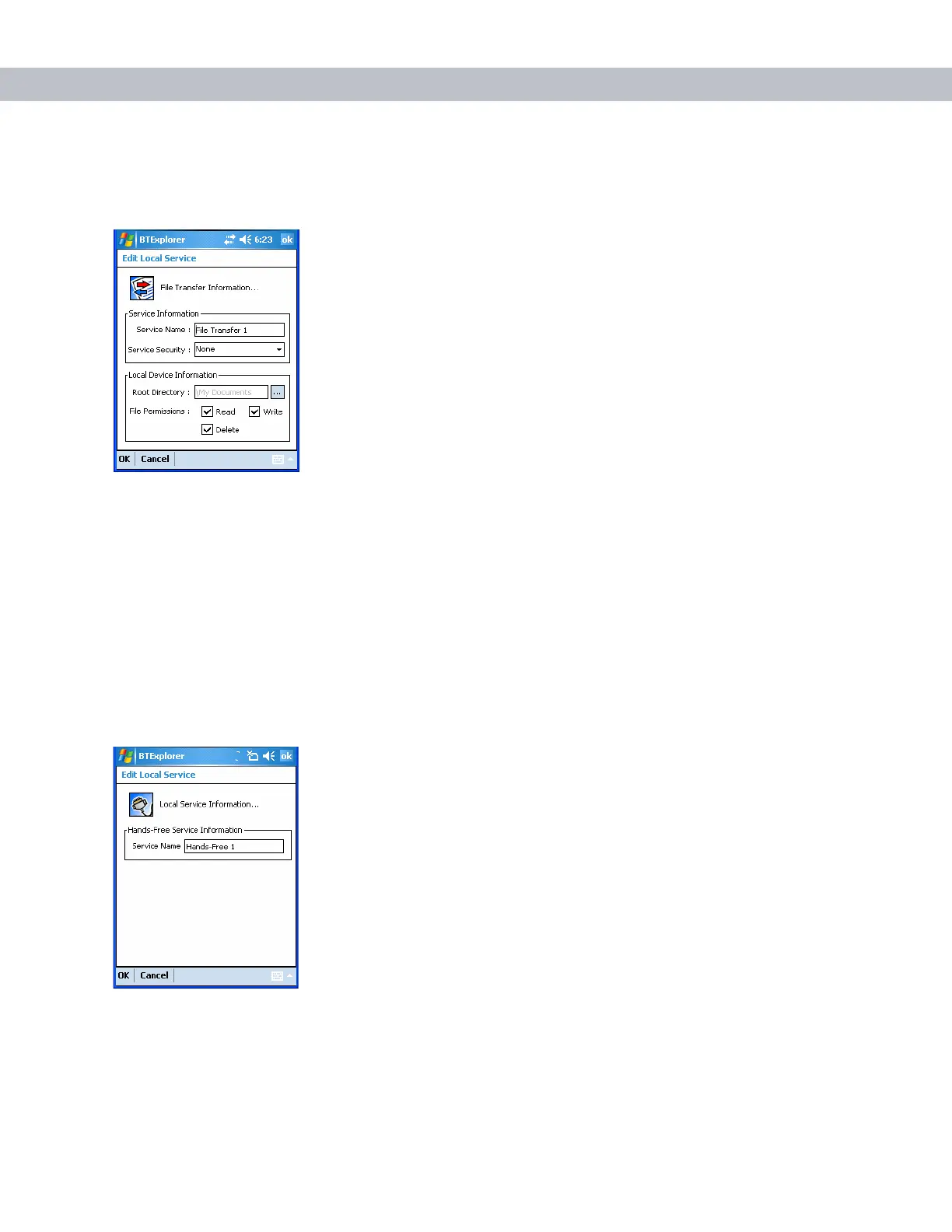
File Transfer Service
File transfer allows other Bluetooth devices to browse files.
Figure 3-39
File Transfer Information Window
Hands-Free Service
Hands-Free Service allows connection to hands-free devices.
Figure 3-40
Hands-Free Service Window
Service Name Displays the name of the service.
Service Security Select the type of security from the drop-down list. Options are
None,
Authenticate, or Authenticate/Encrypt.
Root Directory Select the directory that other Bluetooth devices can access.
File Permissions Select the file permissions for the selected directory. Check the
appropriate box to grant read access, write access, and delete access.
Service Name Lists the name of the audio service.


 To Next Page
 Loading...





