membraPure GmbH
Wolfgang-Küntscher-Str.14
16761 Hennigsdorf
Germany
Tel.: +49 (0) 3302/201-20 0
Fax.: +49 (0) 03302/201-20 21
E-Mail: info@membrapure.de
Internet: www.membrapure.de
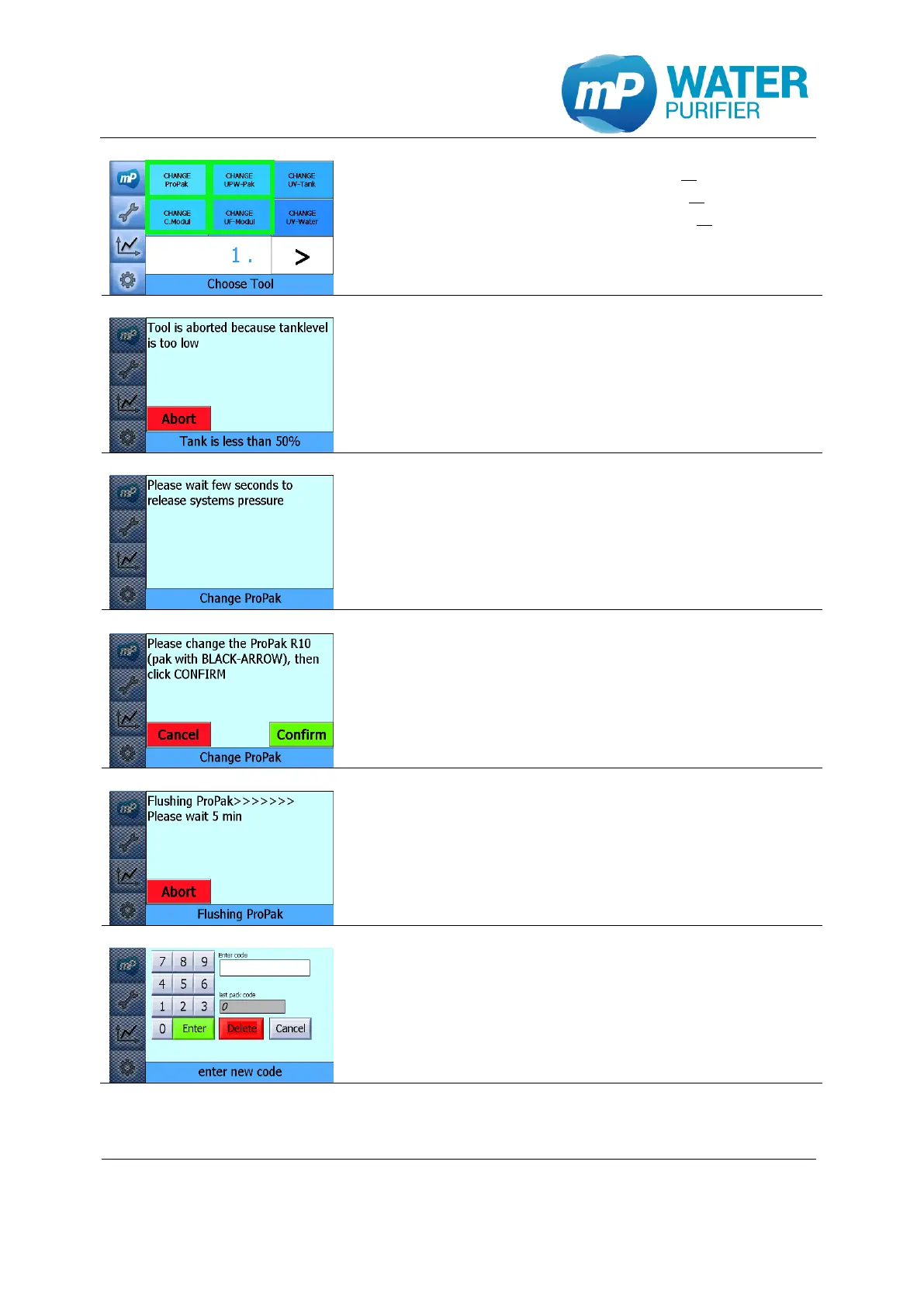
- Press the button ”CHANGE ProPak” or
press the button “CHANGE C.Modul” or
press the button “CHANGE UPW-Pak” or
press the button “CHANGE UF-Modul”*
(see also chapter 6.3 or chapter 6.6)
*only for system with UF-modul
- Tank level should be more than 50% to change
UPW-Pak or UF-Modul. If tank level is less than 50%,
these tools abort automatically.
- If the tank level is more than 50%, it will release
system pressure for few seconds
- Change the requested Pak;
o ProPak is the one with black arrow
o C.Modul is the one with red arrow
o UPW-Pak is the one with blue arrow
o UF-Modul is the transparent tube
- Then click “Confirm”
- Waiting few minutes to flush the new installed Pak:
o ProPak: 5’
o C.Modul: 60’ (AQ²E) or 15’ (AQ²P)
o UPW-Pak: 5’
o UF-Modul: 5’
- To reset the operation hours please enter the code
which is provided by membraPure GmbH
OR
- This step could be skipped (by clicking “cancel”), but
the operation hours is not resetted to zero


 To Next Page