Installation and start up
membraPure GmbH
Wolfgang-Küntscher-Str.14
16761 Hennigsdorf
Germany
Tel.: +49 (0) 3302/201-20 0
Fax.: +49 (0) 03302/201-20 21
E-Mail: info@membrapure.de
Internet: www.membrapure.de
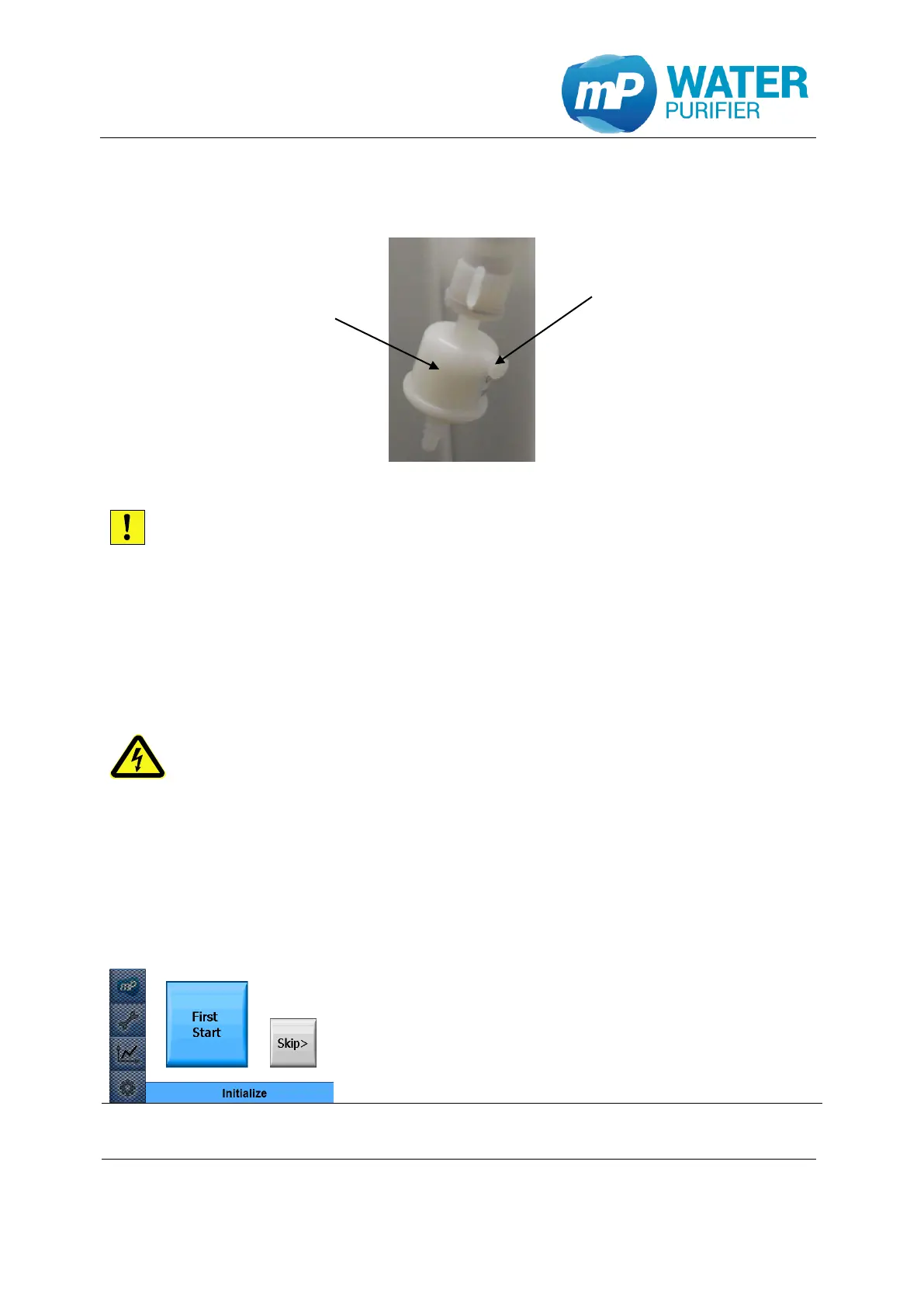
4.9 Sterile filter attachment
Figure 13: sterile filter
Install the sterile filter with caution to avoid damage to the filter or to the device!
- To avoid any leaks, wrap the threads of the sterile filter with teflon tape.
- Attach the sterile filter at the dispenser of the device by turning the sterile filter
clockwise in the dedicated headset.
4.10 Electrical connection
- Plug the power adapter into an electrical outlet (100 … 230 volts, 50/60 Hz).
all electrical wiring must be installed in the way that damaging by work carried
out in the environment of the system is impossible
4.11 Initial start-up
- Check the correct installation of the Aquinity² E or Aquinity² P (see chapter 4.3, 4.4,
4.5, 4.6, 4.7, 4.8, 4.9)
- Connect the device to the power supply (see chapter 4.10)
- Follow the instructions below
This is the first display after connecting to the mains. The
system jumps to the start screen
- Please select “First Start”


 To Next Page