membraPure GmbH
Wolfgang-Küntscher-Str.14
16761 Hennigsdorf
Germany
Tel.: +49 (0) 3302/201-20 0
Fax.: +49 (0) 03302/201-20 21
E-Mail: info@membrapure.de
Internet: www.membrapure.de
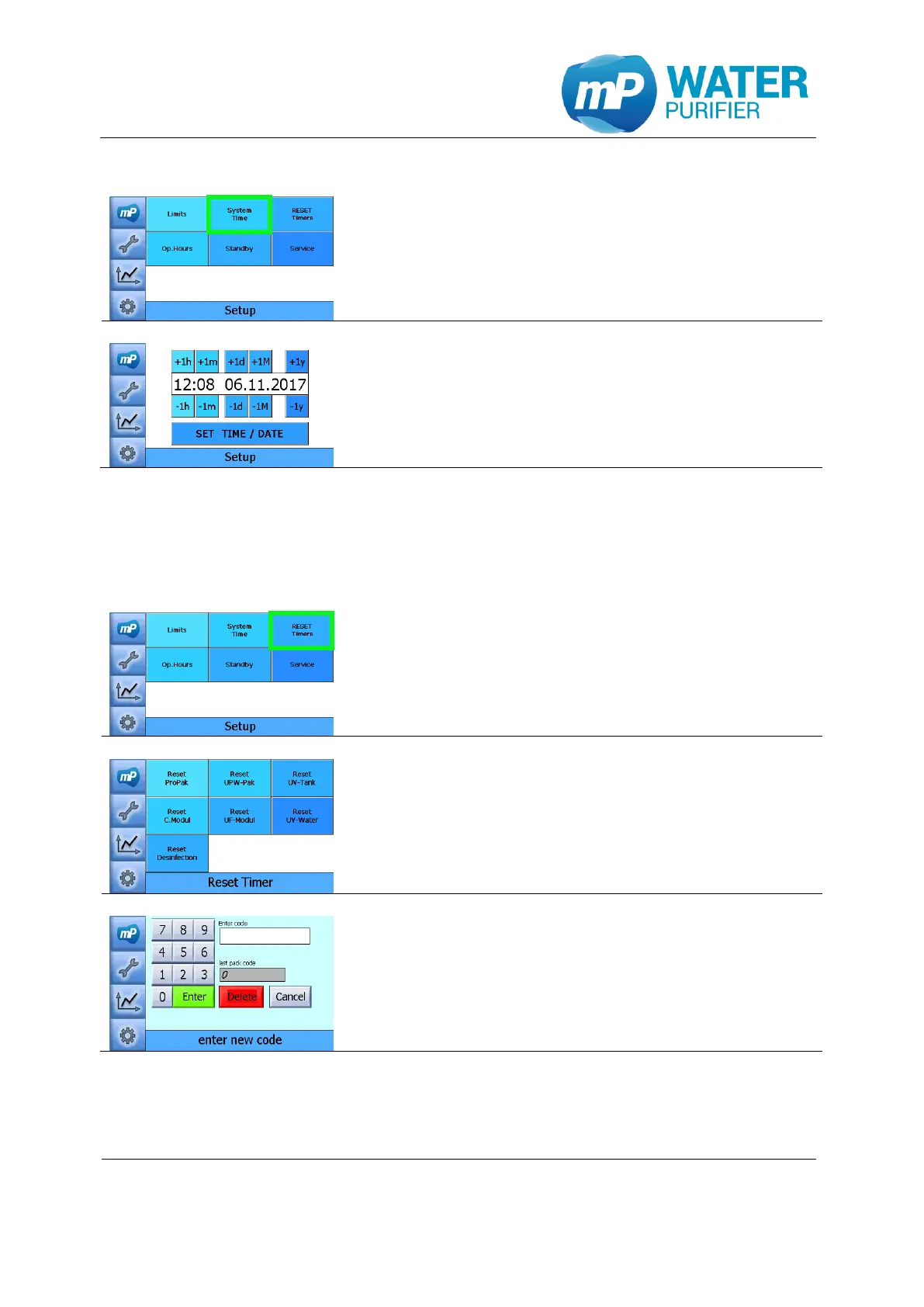
5.4.2 System time settings
- Press the button „System Time”
- The system time is shown in format hh:mm
- The date is shown in format dd.mm.jjjj
- Press the button “SET TIME / DATE” to save the
entries
5.4.3 Reset timers(manually)
This setup can be used to reset timers of consumables and UV submersible lamps back to
zero manually.
- Press the button „Reset Timers”
- Choose any consumables or UV submersible lamp,
which should be set to zero (manually)
- To reset the operation hours please enter the code
which is provided by membraPure GmbH


 To Next Page