EasyManua.ls Logo

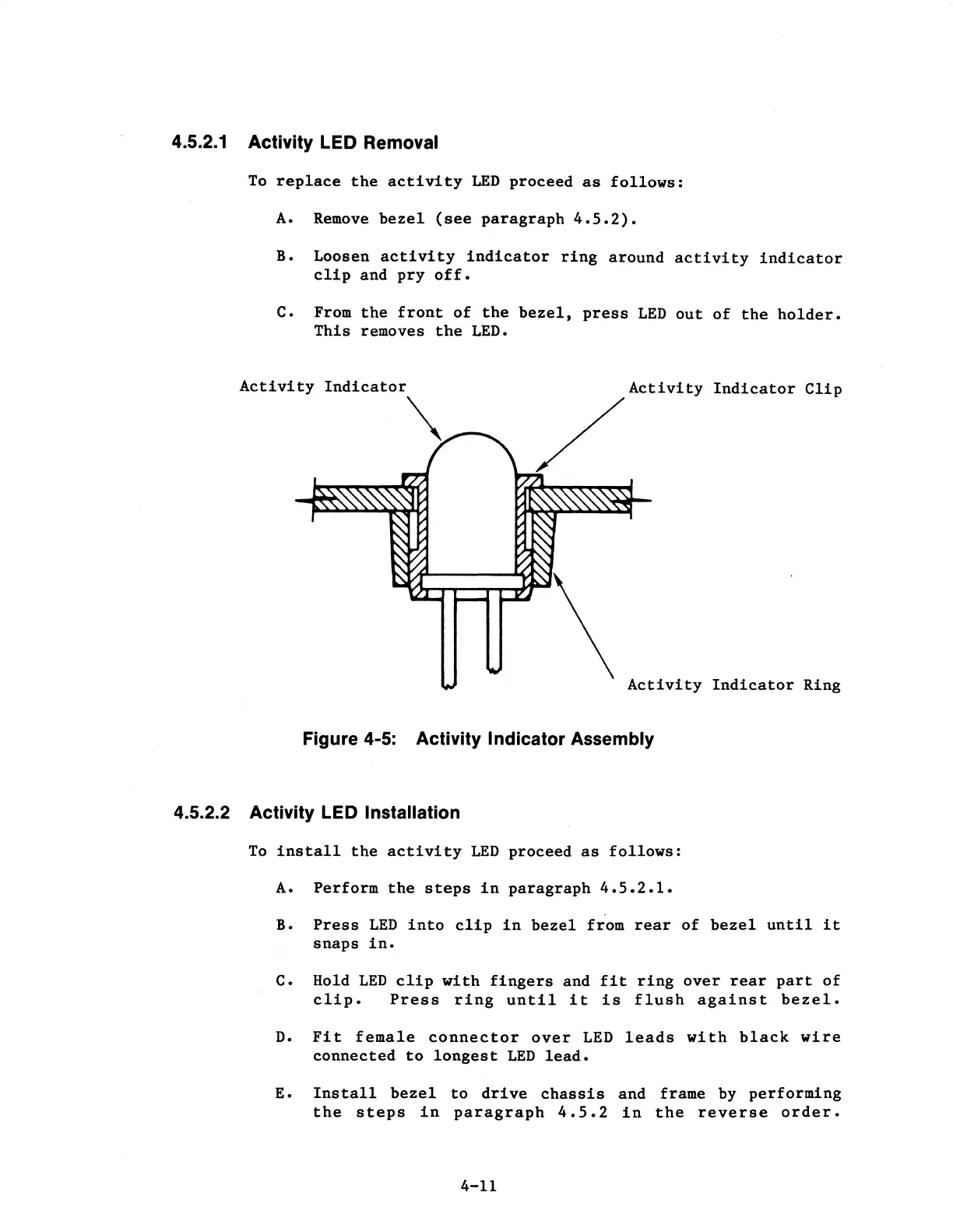
MPI 40 Series - Activity Indicator Assembly

Default Icon
102 pages
Print Icon
To Next Page IconTo Next Page
To Previous Page IconTo Previous Page
Loading...
4.5.2.1 Activity LED Removal
To
replace
the
activity
LED
proceed
as
follows:
A.
Remove
bezel
(see
paragraph
4.5.2).
B. Loosen
activity
indicator
ring
around
activity
indicator
clip
and
pry
off.
c. From
the
front
of
the
bezel,
press
LED
out
of
the
holder.
This
removes
the
LED.
Activity
Indicator
\_
Indicator
Clip
Activity
Indicator
Ring
Figure 4-5: Activity Indicator Assembly
4.5.2.2 Activity LED Installation
To
install
the
activity
LED
proceed
as
follows:
A.
Perform
the
steps
in
paragraph
4.5.2.1.
B.
Press
LED
into
clip
in
bezel
from
rear
of
bezel
until
it
snaps
in.
c. Hold
LED
clip
with
fingers
and
fit
ring
over
rear
part
of
clip.
Press
ring
until
it
is
flush
against
bezel.
D.
Fit
female
connector
over
LED
leads
with
black
wire
connected
to
longest
LED
lead.
E.
Install
bezel
to
drive
chassis
and
frame by
performing
the
steps
in
paragraph
4.5.2
in
the
reverse
order.
4-11

Table of Contents