EasyManua.ls Logo

MPI 40 Series - Cable Requirements; Type of Cable; Operational Procedures; Diskette Loading

Default Icon
102 pages
Print Icon
To Next Page IconTo Next Page
To Previous Page IconTo Previous Page
Loading...
2.6 CABLE REQUIREMENTS
The
electrical
interface
between
the
MPI
Model 40
Series
and
the
controller
is
accomplished
by two
connectors.
The
first
connector,
Jl,
is
a
50
pin
edge
connector
and
provides
the
signal
interface.
The
maximum
cable
length
from
connector
to
connector
should
be
10
feet
(3
meters).
Refer
to
table
2-1
for
cable
connector
part
number and
attachment,
and
figure
3-4
for
dimensions.
The
second
connector,
J3,
provides
DC
power
to
the
drive
and
is
mounted on
the
component
side
of
the
control
electronics
PCBA
(refer
to
figure
6-1).
It
is
a
6
pin
Amp
Mate-N-Lock
type
connector,
Amp
P/N
1-380999-0.
The recommended
mating
connector,
P3,
is
Amp
P/N
1-480270-0
using
pins
which
are
Amp
P/N
60619-1
(refer
to
figure
3-3).
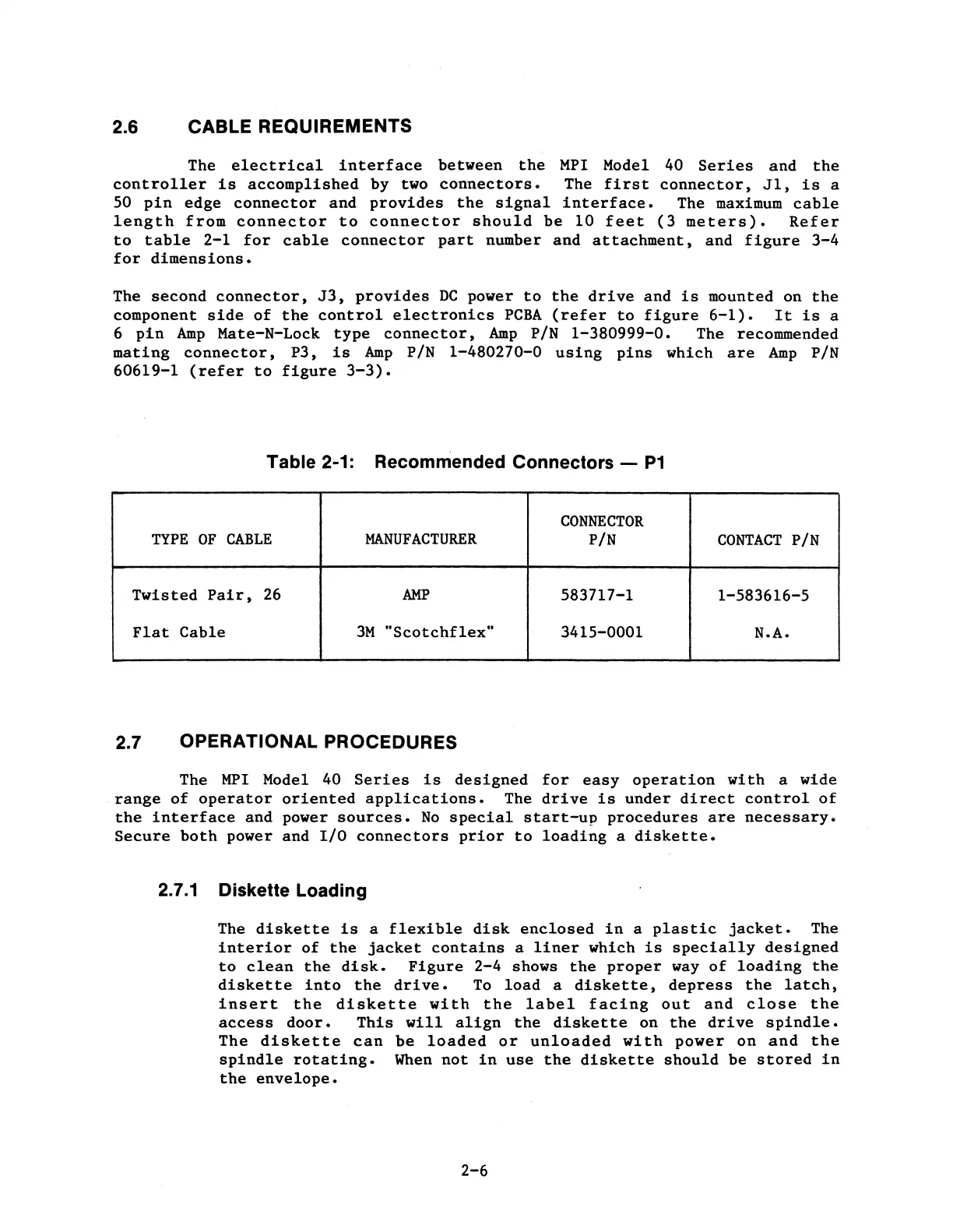
Table 2-1: Recommended Connectors -
P1
CONNECTOR
TYPE
OF
CABLE
MANUFACTURER
P/N
CONTACT
P/N
Twisted
Pair,
26
AMP
583717-1
1-583616-5
Flat
Cable
3M
"Scotchflex"
3415-0001 N.A.
2.7 OPERATIONAL PROCEDURES
The
MPI
Model 40
Series
is
designed
for
easy
operation
with
a wide
.range
of
operator
oriented
applications.
The
drive
is
under
direct
control
of
the
interface
and power
sources.
No
special
start-up
procedures
are
necessary.
Secure
both
power and
I/O
connectors
prior
to
loading
a
diskette.
2.7.1
Diskette Loading
The
diskette
is
a
flexible
disk
enclosed
in
a
plastic
jacket.
The
interior
of
the
jacket
contains
a
liner
which
is
specially
designed
to
clean
the
disk.
Figure
2-4
shows
the
proper
way
of
loading
the
diskette
into
the
drive.
To
load
a
diskette,
depress
the
latch,
insert
the
diskette
with
the
label
facing
out
and
close
the
access
door.
This
will
align
the
diskette
on
the
drive
spindle.
The
diskette
can
be
loaded
or
unloaded
with
power
on
and
the
spindle
rotating.
When
not
in
use
the
diskette
should
be
stored
in
the
envelope.
2-6

Table of Contents