Mounting
User manual 9000-41011-0200000_hdb_en_20 70 / 92
Mounting on mounting rail
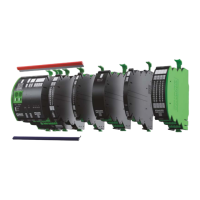
1. Mounting the power module 2. Mounting the expansion modules
Mounting the power module:
The power module can be located anywhere in the
system
1 | Locking device closed
2 | Place the module mounting rail guide on the upper
edge of the mounting rail
3 | Tilt the module down until it engages
Expansion modules:
Place additional modules on the left or right side of the
previous modules side by side
1 | Locking device closed
2 | Place the modules parallel to the previous module
and insert them uniformly into the mounting rail
3 | They snap into place with an audible click and the sys-
tem's front side is flush
3. Mounting the system cover plates
a | Cover plate for left side
b | Cover plate for right side
To mount the cover plate:
1 | Remove the left a and right b cover plate from Mico
Pro PM (power module)
2 | Align modules
3 | Place the left a and right b cover plate parallel to the
previous module and press uniformly until the sys-
tem's front side is flush


 To Next Page
 Loading...