Performing spirometry
Operator’s Manual V1.1 • EasyOne Air • EasyOne Connect
© ndd Medizintechnik AG • Technoparkstrasse 1, 8005 Zurich, Switzerland • www.ndd.ch 68/144
74
To perform the FVC breathing maneuver
1 Tell the patient to fill the lungs completely.
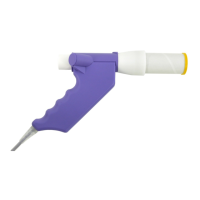
2 Tell the patient to take the EasyOne Flow Tube into the mouth and to seal
the lips around the EasyOne Flow Tube.
The patient must not block the opening with the tongue or teeth or bite
down excessively on the EasyOne Flow Tube.
3 Tell the patient to exhale as hard and as fast as possible and to continue
blowing out until the lungs are completely empty.
4 When the message Manually End Test is displayed, you can choose the
Button End Test at your discretion.
You can configure manual test stop or automatic test stop under
Utilities > Configuration > Test > General > Test Procedure.
The test result is displayed.
5 Tell the patient to take the EasyOne Flow Tube out of the mouth and to
breathe normally again.
If the trial is acceptable, the green quality message is displayed.
If the trial is not acceptable, a yellow or red quality message is
displayed suggesting how to improve the breathing maneuver.
To add trials
1 Choose Add Trial.
2 Repeat the previous procedure To perform the FVC breathing maneuver
and this procedure To add trials until the green Session Complete!
message is displayed.
In the Test Information area the quality grade for the test is displayed.
3 Do the following:
a) Review the test quality that is displayed in the Test Information area.
b) Decide whether the test quality is sufficient or not.
c) If necessary, add a trial and repeat the previous procedure To perform
the FVC breathing maneuver.


 To Next Page