Performing spirometry
Operator’s Manual V1.1 • EasyOne Air • EasyOne Connect
© ndd Medizintechnik AG • Technoparkstrasse 1, 8005 Zurich, Switzerland • www.ndd.ch 67/144
74
8 If the selection window is displayed, do one of the following:
a) To add a trial to the existing test, choose Add Trial.
b) To add a post to the existing test after administering a bronchodilator,
choose Add Post.
c) To create a new test that is unrelated to the existing test, choose Test.
The screen of the selected test is displayed with a pop-up window that
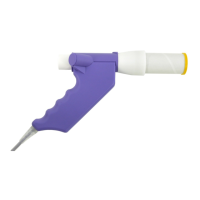
asks you to block the EasyOne Flow Tube.
9 To set the baseline, seal off one end of the EasyOne Flow Tube with the
wrapper to avoid air flow.
10 Choose OK.
In the colored status bar, Setting baseline: Avoid flow! is displayed.
After the baseline has been set, Start test … is displayed.
11 Remove the wrapper from the EasyOne Flow Tube.
12 If you want to perform an FVL test, an MVV test, or an SVC test, attach the
nose clip to the patient’s nose.
13 Hand EasyOne Air to the patient.
14 Tell the patient to breathe at rest.
The following procedure To perform the FVC breathing maneuver
represents the breathing maneuver for the FVC test as an example. If you
want to perform any other test, replace the procedure To perform the FVC
breathing maneuver with the breathing maneuver for the required test.
Breathing maneuvers for all available tests, 75


 To Next Page