EasyManua.ls Logo

NETGEAR FSM726S - User Manual

NETGEAR FSM726S
123 pages
Print Icon
To Next Page IconTo Next Page
Loading...

Table of Contents

Other manuals for NETGEAR FSM726S

Questions and Answers

  • G
    Garrett WilsonAug 16, 2025
    Why is the ACT LED flashing continuously on all connected ports and the network is disabled on my NETGEAR FSM726S Switch?
    • S
      sarah59Aug 17, 2025
      This usually indicates a network loop (redundant path) has been created. To resolve this, ensure there is only one path from any networked device to any other networked device, effectively breaking the loop.
  • W
    Wayne StewartAug 19, 2025
    What to do if file transfer is slow or performance degradation is a problem with my NETGEAR FSM726S Switch?
    • S
      sherryfischerAug 19, 2025
      If you're experiencing slow file transfers or performance degradation, the half- or full-duplex settings on the switch and the connected device may not be the same. Ensure the attached device is set to auto negotiate to resolve this issue.
  • J
    Jennifer HessAug 22, 2025
    Why is the FDX LED blinking yellow excessively on my NETGEAR FSM726S?
    • A
      Antonio ThomasAug 22, 2025
      Excessive blinking of the FDX LED indicates collisions are occurring on the connected segment, or duplex modes are mismatched. Some collisions are normal in half-duplex mode. Recheck the settings of the device attached to the RJ-45 port and make sure the attached device is set to auto negotiate.
  • N
    Nancy RiosAug 25, 2025
    How to fix a segment or device not recognized as part of the network on NETGEAR Switch?
    • M
      mitchellkimberlyAug 26, 2025
      If a segment or device isn't being recognized, it could be due to improper connections or cabling that doesn't meet Ethernet guidelines. Verify that the cabling is correct and that all connectors are securely positioned in the required ports. Also, check if any equipment has been accidentally disconnected.
  • N
    nflemingAug 27, 2025
    What to do if the link LED is off or intermittent on my NETGEAR Switch?
    • M
      Megan SotoAug 27, 2025
      If the Link LED is off or intermittent, the port connection may not be working. Check the crimp on the connectors, and ensure the plug is properly inserted and locked into the port at both the switch and the connecting device. Ensure all cables used are correct and comply with Ethernet specifications. Check for a defective adapter card, cable, or port by testing them in an alternate environment where all products are functioning.
  • D
    dawn45Aug 30, 2025
    Why is the power LED off on my NETGEAR FSM726S?
    • D
      Deborah RiddleAug 30, 2025
      If the power LED is off, the switch isn't receiving power. Check the power cord connections for the switch, both at the switch and the connected device. Make sure all cables used are correct and comply with Ethernet specifications.
  • Z
    zbuckleySep 2, 2025
    What to do if ACT LED is flashing continuously on NETGEAR FSM726S Switch?
    • J
      Jane ToddSep 2, 2025
      If the ACT LED is constantly flashing on all connected ports and the network is disabled, it indicates a network loop (redundant path) has been created. To resolve this, ensure there is only one path from any networked device to any other networked device, breaking the loop.
  • C
    Corey LopezSep 5, 2025
    Why is file transfer slow on my NETGEAR Switch?
    • J
      johnstewartSep 5, 2025
      If file transfers are slow or performance degrades when using your NETGEAR Switch, the half- or full-duplex settings on the switch and the connected device may not be the same. Ensure that the attached device is set to auto negotiate to resolve this issue.
  • C
    Christopher WelchSep 7, 2025
    Why is the FDX LED blinking yellow on my NETGEAR FSM726S Switch?
    • A
      areedSep 7, 2025
      If the FDX LED is blinking yellow excessively on your NETGEAR switch, it indicates collisions are occurring on the connected segment, or duplex modes are mismatched. Some collisions are normal in half-duplex mode. Recheck the settings of the device attached to the RJ-45 port and ensure the attached device is set to auto negotiate.
  • C
    Candace MorenoSep 10, 2025
    What to do if NETGEAR Switch doesn't recognize a device?
    • T
      Tommy MillerSep 10, 2025
      If a segment or device is not recognized as part of the network when using your NETGEAR Switch, one or more devices may not be properly connected, or the cabling does not meet Ethernet guidelines. Verify that the cabling is correct and that all connectors are securely positioned in the required ports. Ensure that equipment hasn't been accidentally disconnected.

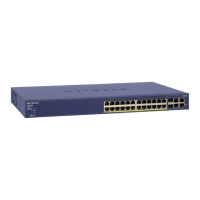
NETGEAR FSM726S Specifications

General IconGeneral
LayerLayer 2
MAC Address Table8K
Jumbo Frame SupportYes
Form FactorRack-mountable
VLAN SupportYes
QoS SupportYes
Power SupplyInternal
TypeManaged
Ports24 x 10/100
Power Consumption30W
Dimensions (W x D x H)17.5 x 8.1 x 1.7 in

Related product manuals