MX Series Voice Gateway User Manual
www.newrocktech.com 95
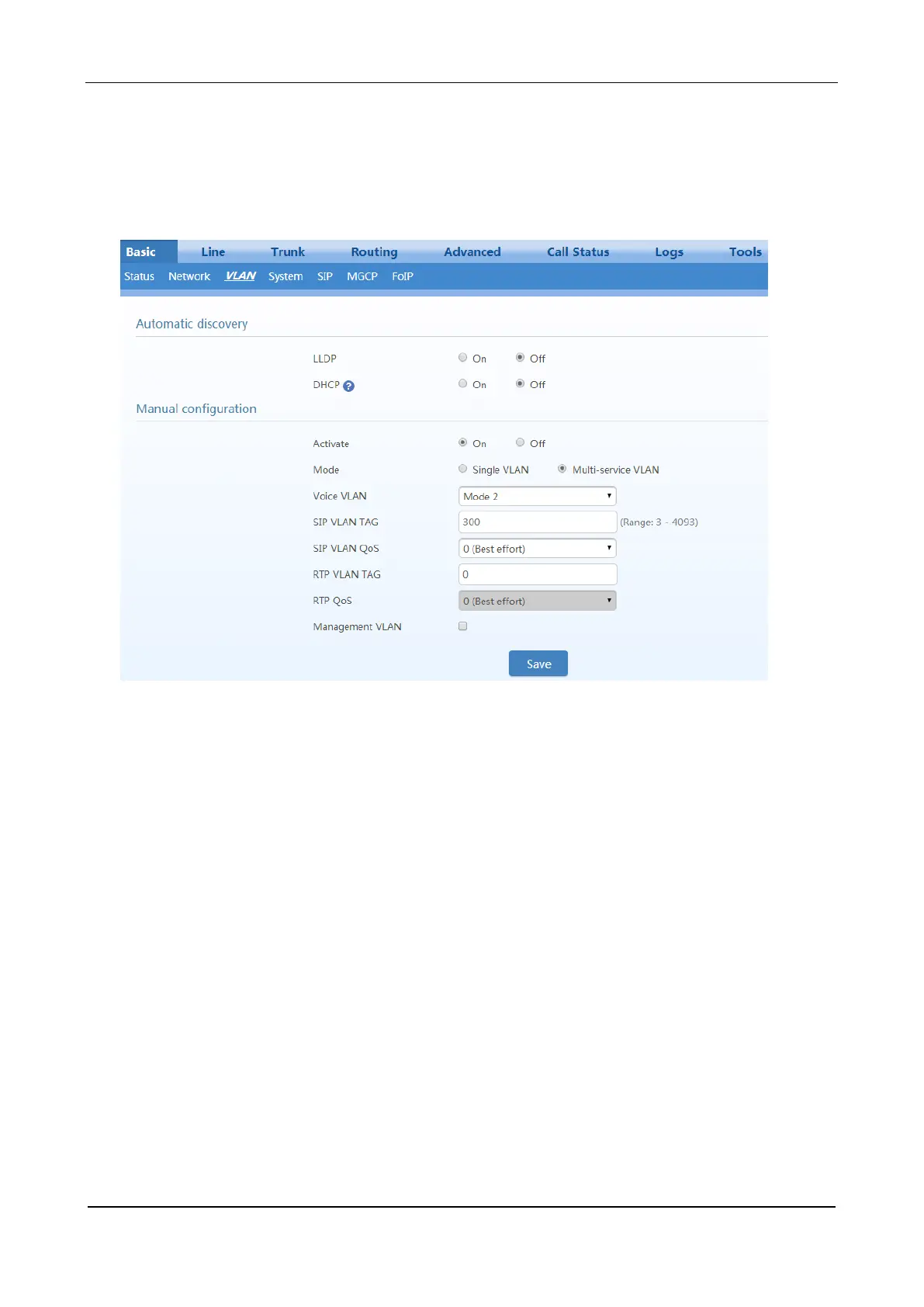
On the web interface, click Basic > VLAN, and ensure that the VLAN function is set to On, and Mode
is set to Multi-service VLAN. Select Mode 2 for Voice VLAN, and specify VLAN tags for SIP and
RTP/T.38.
Figure 3-85 Configuring Voice VLAN to Work in Mode 2
Configuring Management VLAN
The device adds VLAN tag configured in the management VLAN for HTTP, HTTPS and Telnet packets.
On the web interface, click Basic > VLAN, and ensure that the VLAN function is set to On and Mode is
set to Multi-service VLAN. Select Management VLAN, set the VLAN tag of the management service,
and specify network information such as IP address.



 To Next Page