MX Series Voice Gateway User Manual
New Rock Technologies, Inc. 13
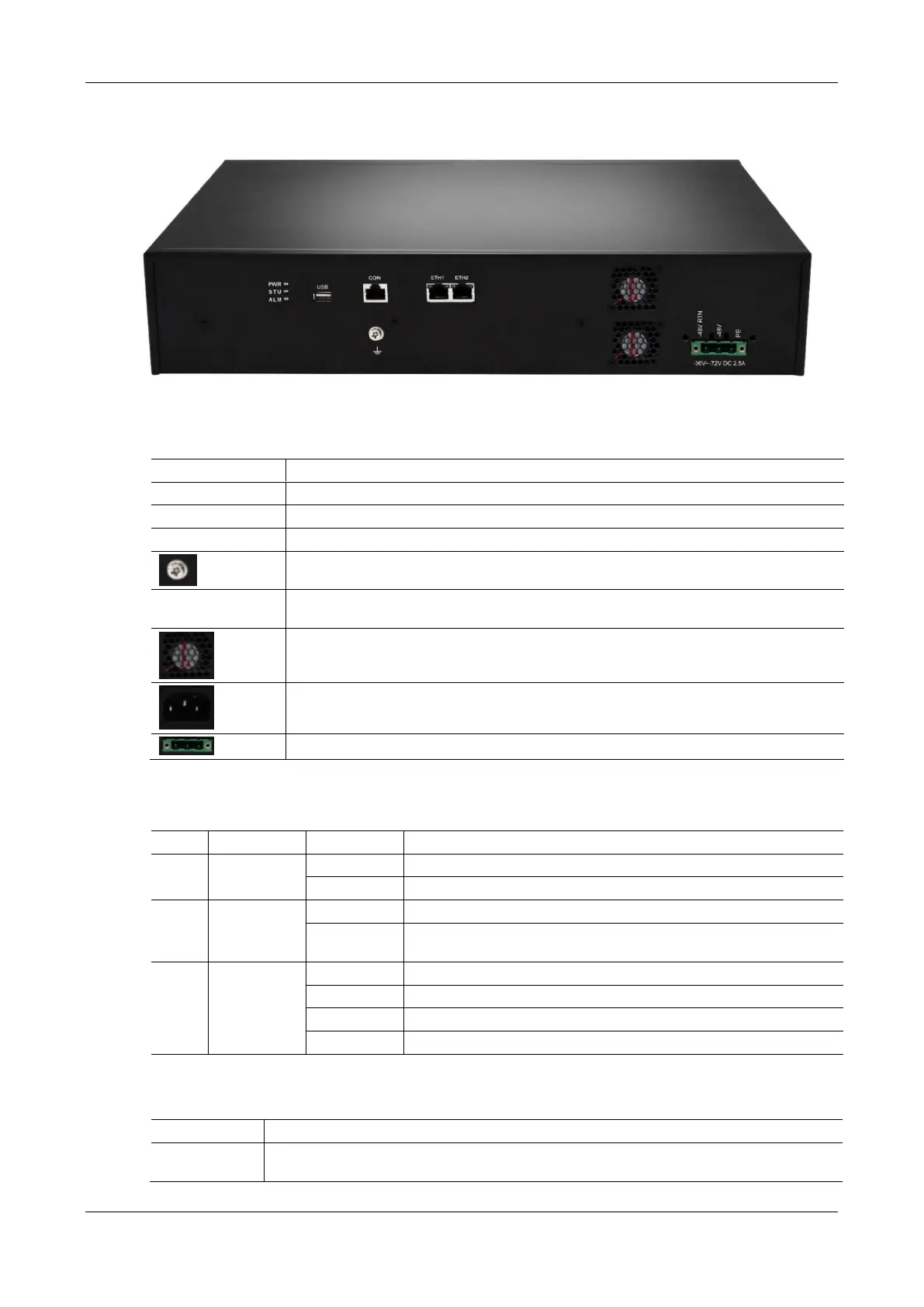
Figure 1-14 MX120 Back Panel-DC
Table 1-21 MX120 Back Panel
Indicator, see Table 1-22 for description.
Configuration interface (CON), used for local management and debugging.
Two 10/100 Mbps Ethernet ports (RJ45). They share one IP address, which by default is
192.168.2.240 and you can change it on Basic > Network page.
AC power socket, 100-240 VAC voltage input.
DC power socket, -48 VDC input.
Table 1-22 Meanings of MX120 Indicators
System locked and inactive
New alarms occurred but not confirmed
Power-on is in progress; awaiting normal operation
Alarms existed and all alarm information confirmed
Table 1-23 MX120 System Operation State
The IP address of gateway conflicts with that of other equipment in LAN. Please settle this problem
before the gateway can be operated normally.



 To Next Page