MX Series Voice Gateway User Manual
New Rock Technologies, Inc. 35
Select the maximum transmission rate of the fax service. 33600bps indicates the highest-rate fax
mode.
Port for fax
transmission
Set whether to use a new RTP port when the gateway switches to the T.38 mode. The default
value is Use original RTP port.
Use a new port: Indicates that a new RTP port is used.
Use original RTP port:
Indicates that the original RTP port established during the call is used.
The error correction mode (ECM) for the fax service. When the Maximum fax rate is 14400, the
ECM mode is not used by default. When the Maximum fax rate is 33600, the ECM mode is
used by default.
Set a data frame packet interval for T.38. The options include 30 ms and 40 ms. The default value
is 30 ms.
Signaling
redundancy level
Set the number of redundant data frames in T.38 data packets. The value range is 0–6 frames, and
the default value is 4 frames.
Image Data
Redundancy level
Set the number of redundant images in T.38 data packets. The value range is 0–2, and the default
value is 1.
2.4 Line
2.4.1 Phone Number
The content below is only applicable to gateways with FXS ports.
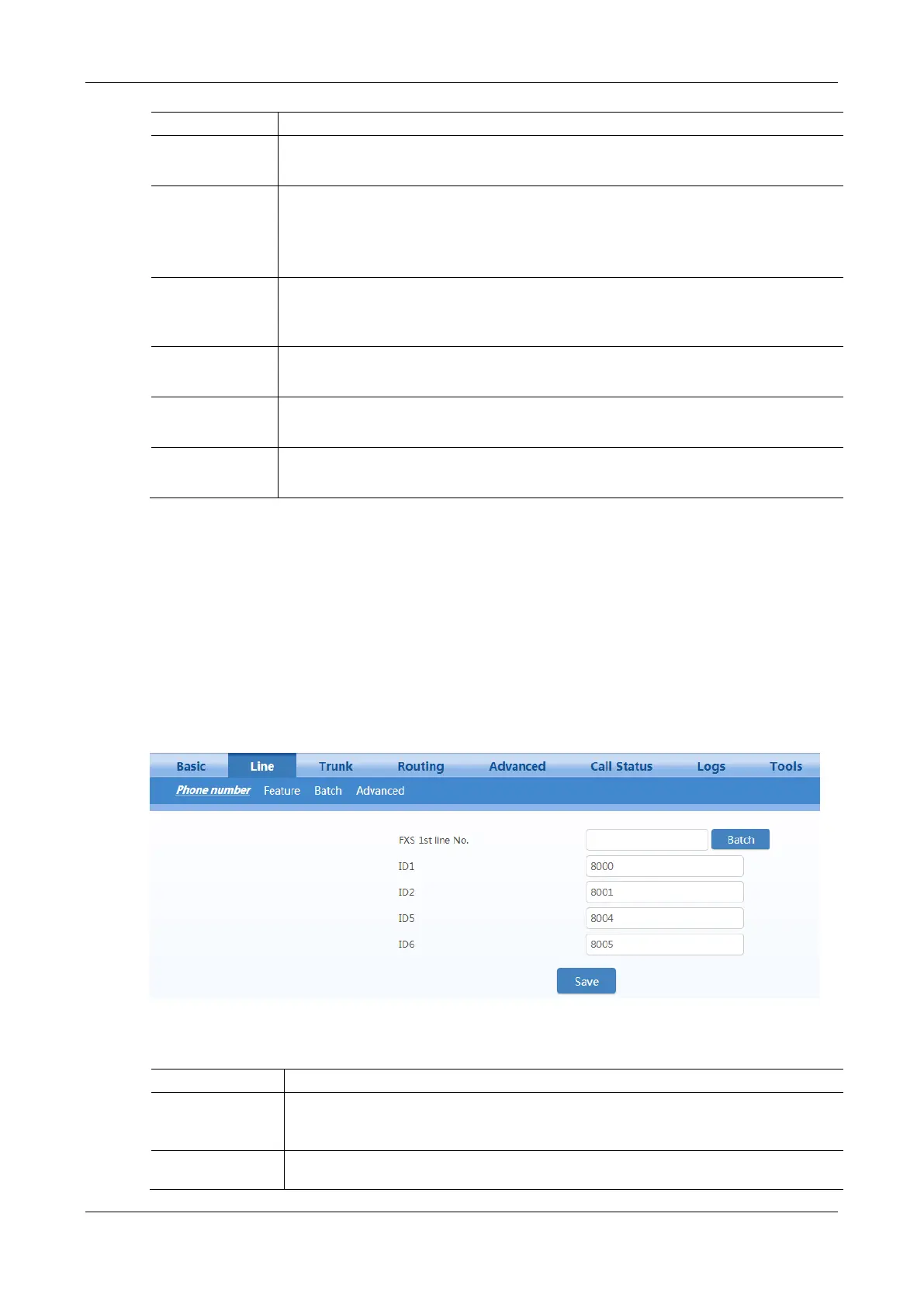
After login, click Line > Phone number to open the configuration interface.
Figure 2-28 Configuration Interface for Phone Number
Table 2-11 Configuration Parameters of Phone Number
This number is used for the batch setup of subscriber line.
Click Batch after filling in initial number, the number of Line 1 adopts initial number; that of
Line 2 increases 1 progressively based on that of Line 1, and so on.
Fill in the telephone number associated with the subscriber line n (FXS port). This should be
manually performed if Batch mode is not used.



 To Next Page