MX Series Voice Gateway User Manual
New Rock Technologies, Inc. 23
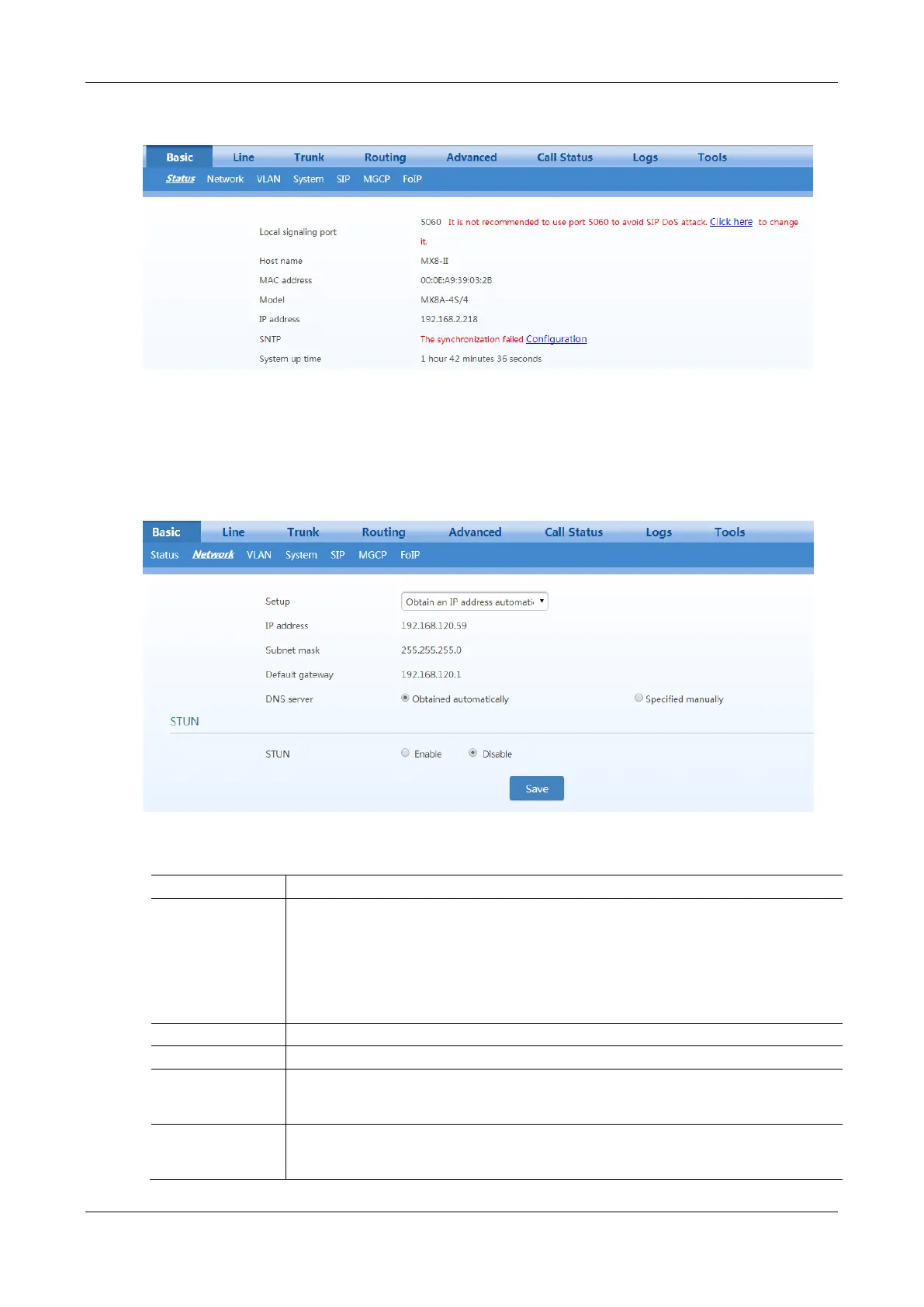
Figure 2-20 Status Interface
2.3.2 Network
After login, click Basic > Network to open the configuration interface.
Figure 2-21 Network Configuration Interface
Table 2-3 Network Configuration Parameters
Methods for obtaining an IP address.
Static IP address: static IP address is used;
Obtain an IP address automatically: use the dynamic host configuration protocol (DHCP) to
obtain IP addresses and other network parameters;
PPPoE: PPPoE service is used.
Enter an authentication user name if PPPoE service is selected, and there is no default value.
Enter an authentication password if PPPoE service is selected, and there is no default value.
If “Static IP” or “DHCP” is selected but an address fails to be obtained, the gateways will use
the IP address filled in here. If the gateways obtain an IP address through DHCP, the system
will display the current IP address automatically obtained from DHCP.
The subnet mask is used with an IP address. When the gateway uses a static IP address, this
parameter must be entered; when an IP address is automatically obtained through DHCP, the
system will display the subnet mask automatically obtained by DHCP. It has no default value.



 To Next Page