User Manual MX Series Voice Gateway
56 www.newrocktech.com
2.7.2 Auto Provisioning
After login, click Advanced > System to open this interface.
For specific configurations, see Auto Provisioning Configuration Manual.
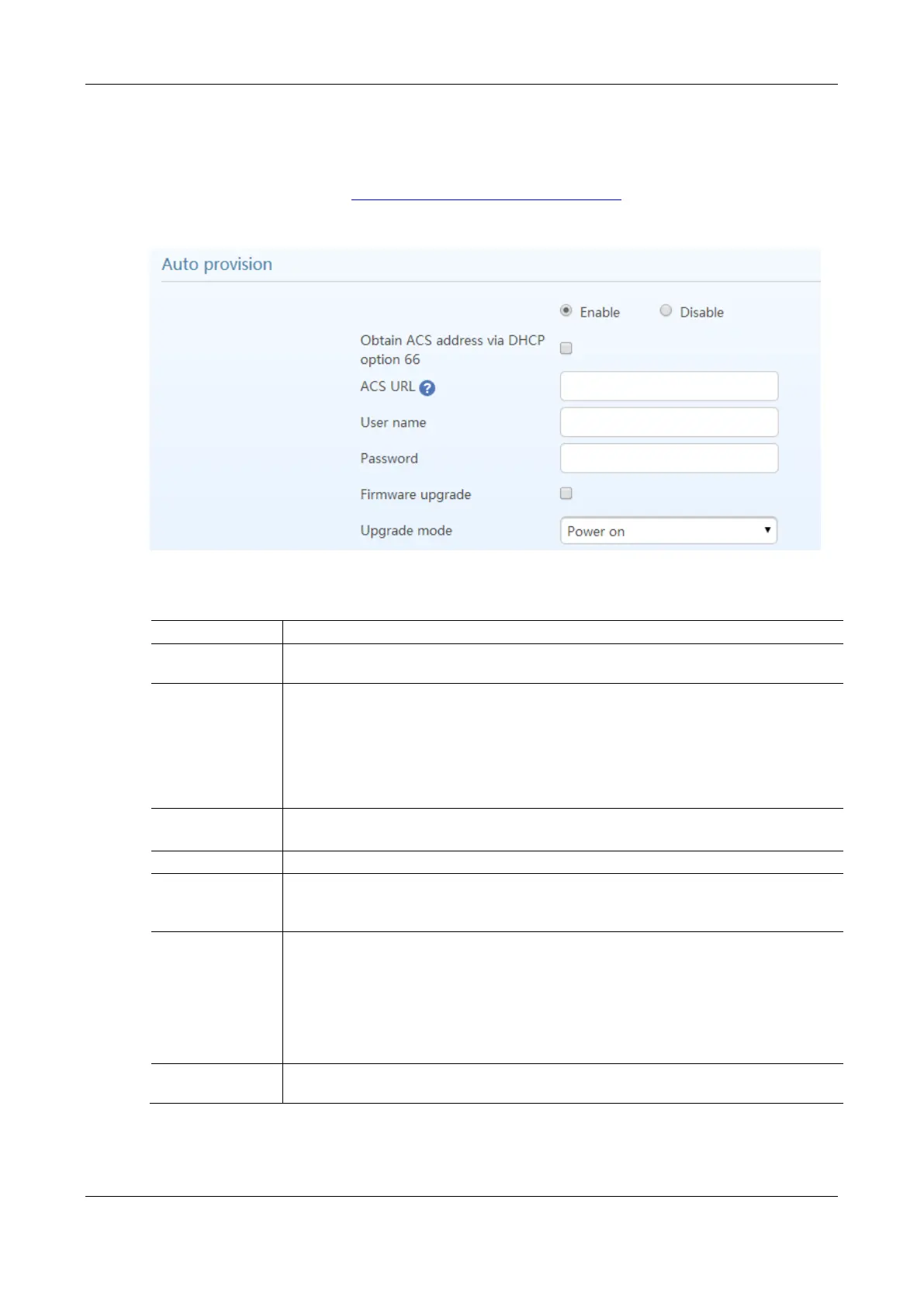
Figure 2-40 Interface of Auto Provisioning Configuration
Table 2-22 Auto Provisioning Configuration Parameters
Obtain ACS address
via DHCP option 66
TFTP/HTTP/HTTPS ACS (Auto Provisioning Server) address is obtained by using option 66 of
the DHCP.
Manually configure the address of ACS which could be a TFTP, FTP, or HTTP server.
tftp://ACS address
ftp:// ACS address
http://ACS address
https://ACS address
Input a user name for accessing the ACS.
Note: If the ACS is a TFTP server, the username and the password are not displayed.
Input a password for accessing the ACS.
Supports firmware download and update using ACS.
Note: For the HX4E/MX8A, the firmware can be a tar.gz file or an img file. For the
MX60/MX120/120G, the firmware is always a tar.gz file.
The following modes are available.
Power on: the gateway detects whether there are configurations and firmware to be updated
when the device is powered on.
Power on + Periodical: when the device is powered on, the gateway first checks whether
there are configurations and firmware to be updated, and then periodically performs checking
based on the set times.
When Power on + Periodical is set, this parameter specifies the interval for periodic automatic
upgrades. The default range is 3600 seconds. The value range is 5 to 84600 second.



 To Next Page