MX Series Voice Gateway User Manual
New Rock Technologies, Inc. 11
Table 1-18 Description of MX120 Front Panel
Matrix of 6x4 LED status indicator on interface card
Four interface slots; each can contain one 24-port interface card.
Note: The interface card is not hot swappable!
Do not plug and remove the interface cards of MX120 when equipment is powered on.
Numbering definition of system interface slots: on the low-left side of chassis is #1 slot (marked with No.1
to 24), on the low-right side of chassis is #2 slot (marked with No.25 to 48), on the up-left side of chassis
is #3 slot (marked with No.49 to 72), and on the up-right side of chassis is #4 slot (marked with No.73 to
96).
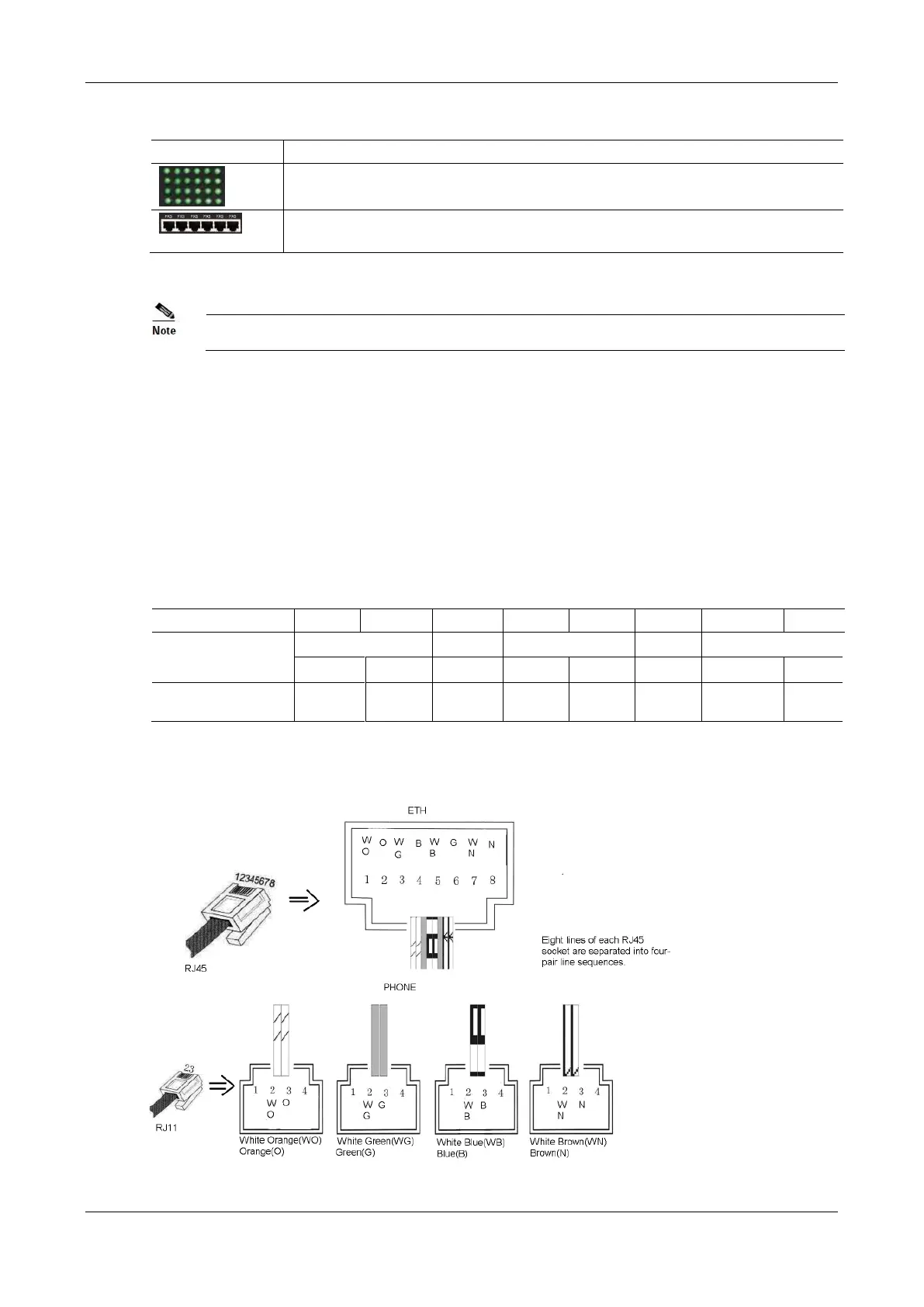
Each RJ45 socket has 8 pins leading out 4 pairs of analog telephone or trunk lines in agreement with the
pair specifications for Ethernet interfaces, whose corresponding relations can be seen in the table below.
CAT-5 cables are used to connect the interface card and distribution panel in equipment installation.
Standard RJ11 telephone lines can be used to plug in a RJ45 socket. The telephone/trunk lines are connected
to the 3
rd
pair of pins for simple call test.
Table 1-19 Pin Specifications for MX120 RJ45 Socket Port
Figure 1-12 Schematic Diagram of MX120 Subscriber Line Connection



 To Next Page