User Manual MX Series Voice Gateway
34 www.newrocktech.com
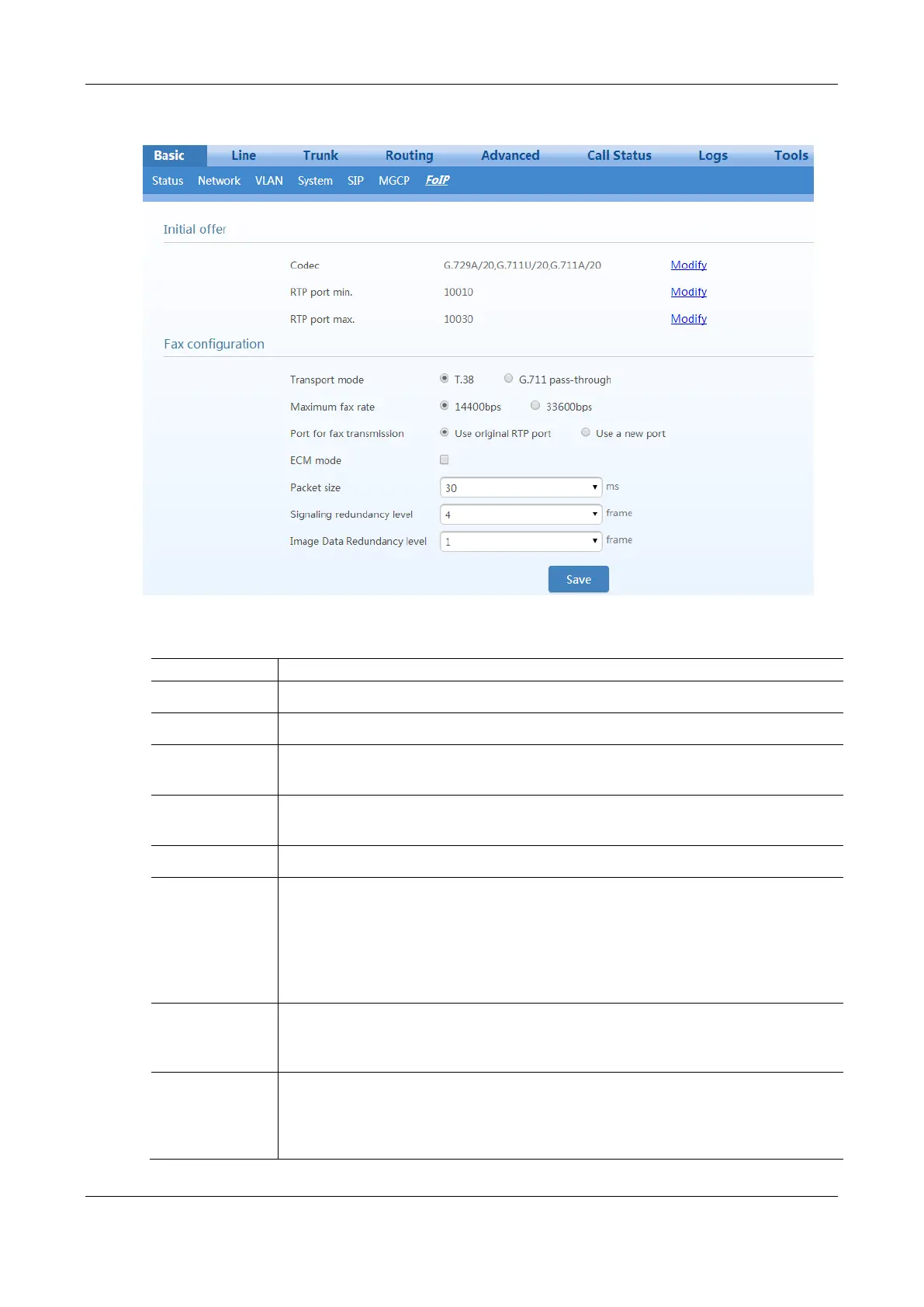
Figure 2-27 Fax Configuration Interface
Table 2-10 Fax Configuration Parameters
Click Edit, go to Basic > System page to configure. For details, see 2.3.4 System.
Click Edit, go to Advanced > Media stream page to configure. For details, see 2.7.8 Media
Stream.
Click Edit, go to Advanced > Media stream page to configure. For details, see 2.7.8 Media
Stream.
The device supports two fax modes: T.38 and G.711 transparent transmission.
When fax messages are received or sent through an analog trunk, the G.711 transparent
transmission mode is required. When fax messages are received or sent through an IP trunk, a
T.38 or a G.711 transparent transmission mode needs to be selected according to an actual
requirement and the mode supported by the IP phone operation platform. If both T.38 and G.711
transparent transmission modes are supported, T.38 is recommended because it is more stable.
Allow opposite
terminal to switch
to T.38
When the device sends a fax message in G.711 transparent transmission mode, if the other party
sends a T.38 negotiation request, the device will respond to the request and automatically switch
to the T.38 mode.
Adjustable
parameters when
the T.38 is enabled
(Default values are
recommended.)



 To Next Page