63
C CONTROL Software
Installing CONTROL
Download the software from:
https://www.nktphotonics.com/lasers-fibers/support/software-drivers/
Follow the steps in Procedure 6.
Procedure 6 Installing CONTROL
Action
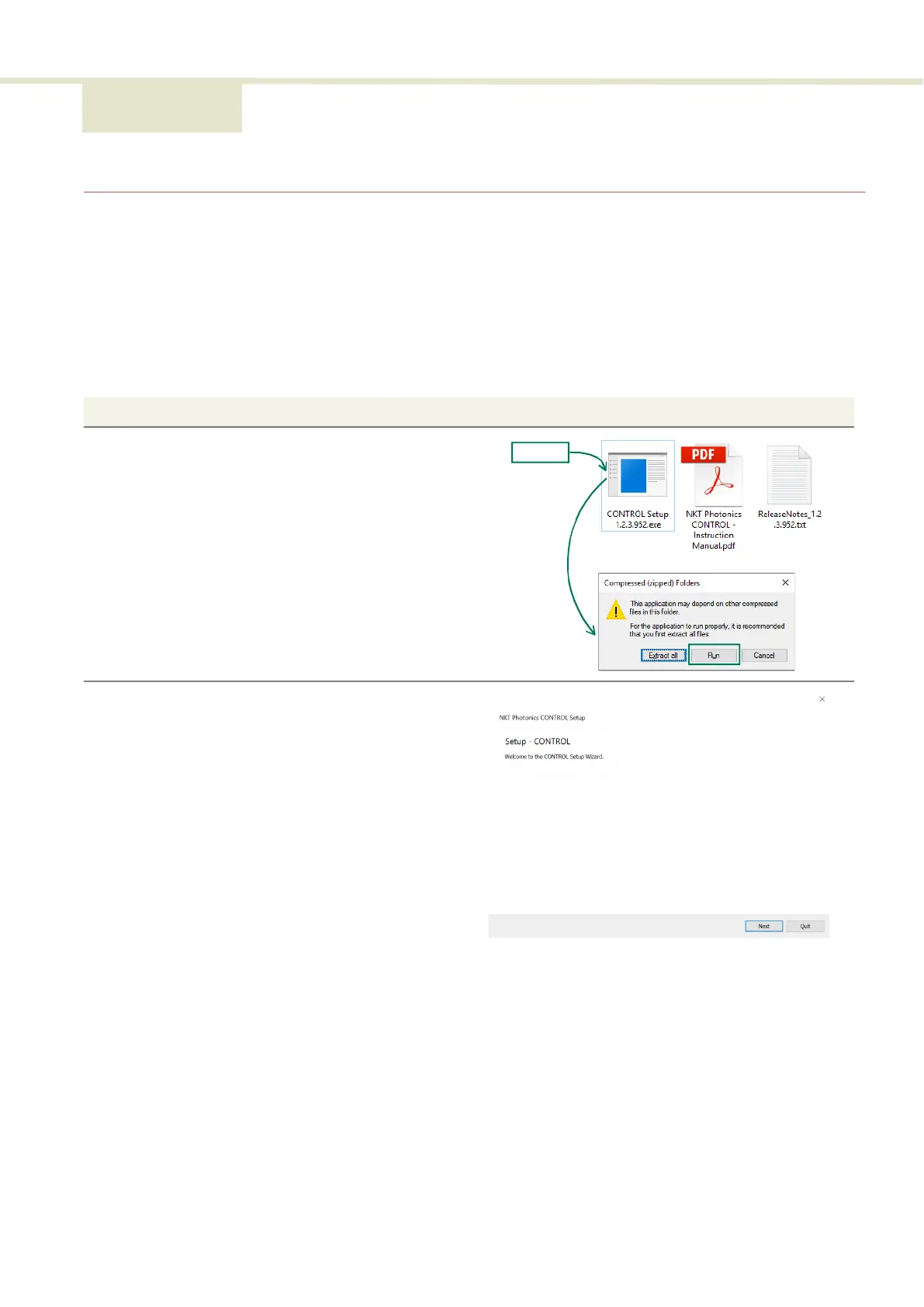
1 On the PC, launch the installer package and then click the
Run button.
2 The installation wizard appears.
Click Next to continue.
Installer


 To Next Page