18
Displaying numeric data on the position screen
Northstar 6000i
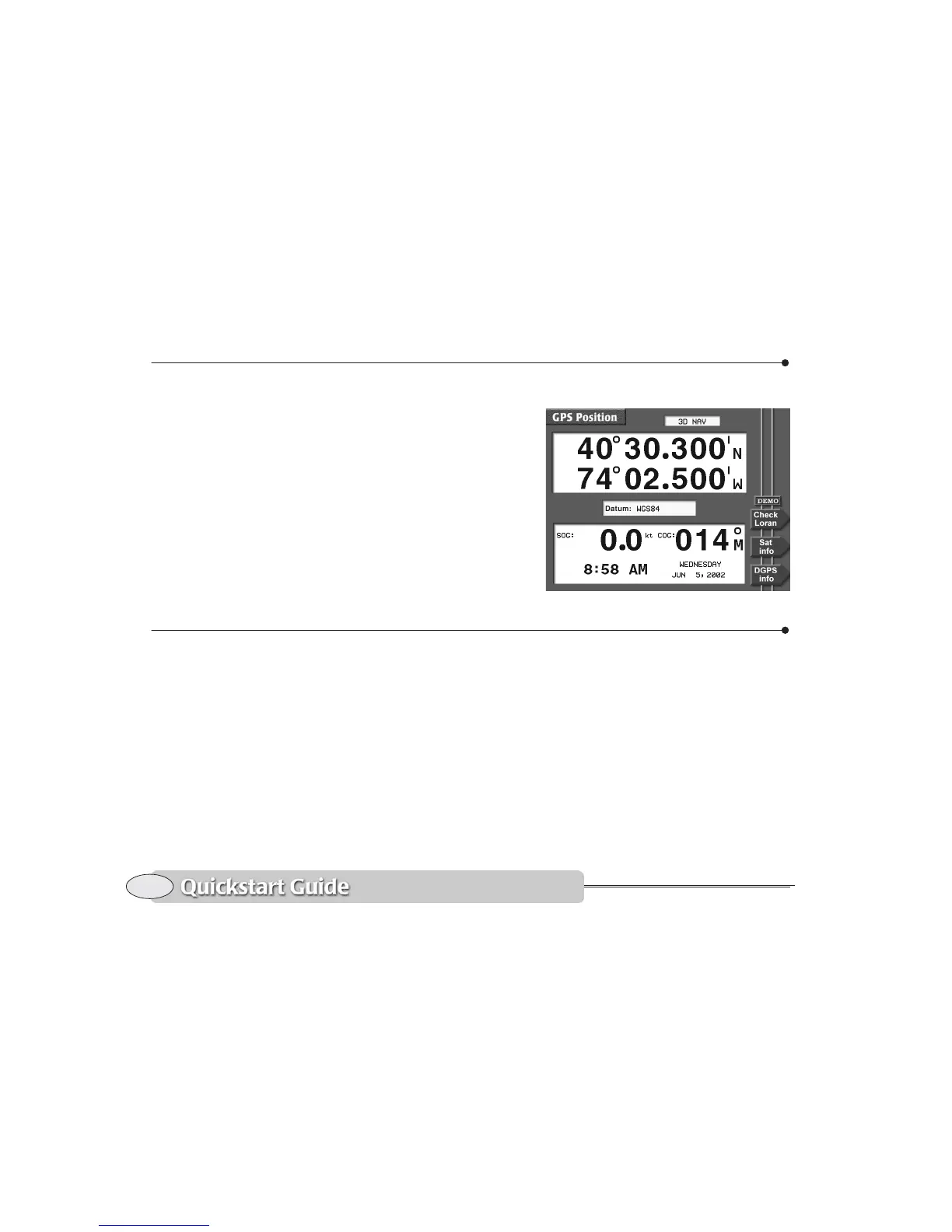
Displaying numeric data on the position screen
To display your position, speed, course,
and time with large, easily read digits, press
POSITION. The GPS POSITION screen shows
the following information:
• your vessel’s position in lat/lon (or TDs,
if enabled)
• your vessel’s present SOG and COG
• current time, day, and date
• geodetic datum (for details, see
Choosing a geodetic datum, starting on
page 158)
For details about using this screen, see
Position coordinates, starting on page 43.
Going immediately to a quick waypoint
The Northstar 6000i can guide you directly
to any point on the CHART screen that you
designate. “Point-and-shoot” navigation, as
it is called, is often the easiest way to go to
a waypoint or a series of waypoints: Just
select the points right on the chart and go
to them, one after another. This technique
provides the most flexibility in deciding
where you want to travel. Simply move the
cursor wherever you want, press a key, and
you’re navigating.
1. Press the CHART key to display the
CHART screen.
2. Press the cursor pad to move the cursor
to the desired spot on the chart.
3. Press Go to cursor.
4. Press ENTER.
The 6000i displays a track line to the new
waypoint named -
QUIK-, and guides you
directly to this point.



 To Next Page