138
Reference section 8 — Alarms and TideTrack
Alarms
Northstar 6000i
Alarms
Alarms automatically alert you to certain
situations, for example, when you’re
approaching a waypoint, or entering an
avoidance area, or when you’ve lost
position fixes. The 6000i displays an alarm
in two ways:
• as an alarm icon flashing on the display
screen. (For a detailed explanation of
these alarm icons, see Table 4 on page
139.)
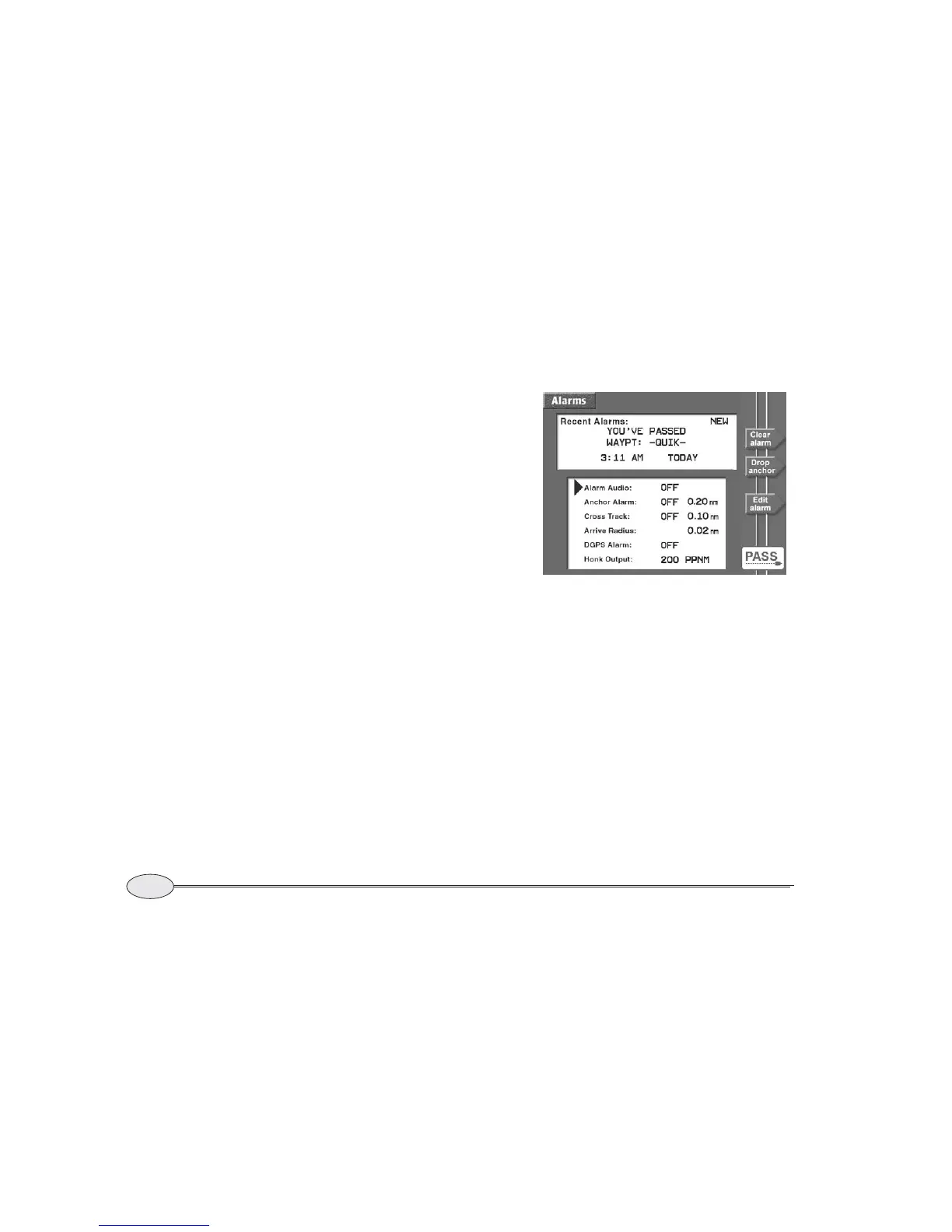
• as an alarm message on the ALARMS
screen
Also, whenever an alarm icon appears on
any screen, an audible alarm will sound if
you’ve turned on the alarm audio. Each
alarm has a distinctive beep that’s based on
Morse code. If you’re choosing whether to
keep the alarm audio on or off, remember
that the audio beep may be a necessity
when you’re unable to look at the display
screen.
Displaying alarm messages
To display more information about current
and previous alarms, press the STAR key.
New alarm messages
The word NEW in the Recent Alarms box
tells you that the alarm shown hasn’t been
acknowledged, or “cleared” yet (see
“Clearing alarms” below). There may also
be other uncleared alarms that you should
acknowledge by clearing.
Recent alarm messages
The 6000i keeps a record of the most
recent alarm from each main category
(such as anchor, avoidance, communica-
tions, cross track, GPS signals, and
waypoints) enabling you to “browse”
through older alarm messages that have
not been acknowledged. Each successive
Alarm screen, showing “passed” alarm



 To Next Page