88
Reference section 5 — Radar
Using the radar’s main menu keys
Northstar 6000i
Using the radar’s main menu keys
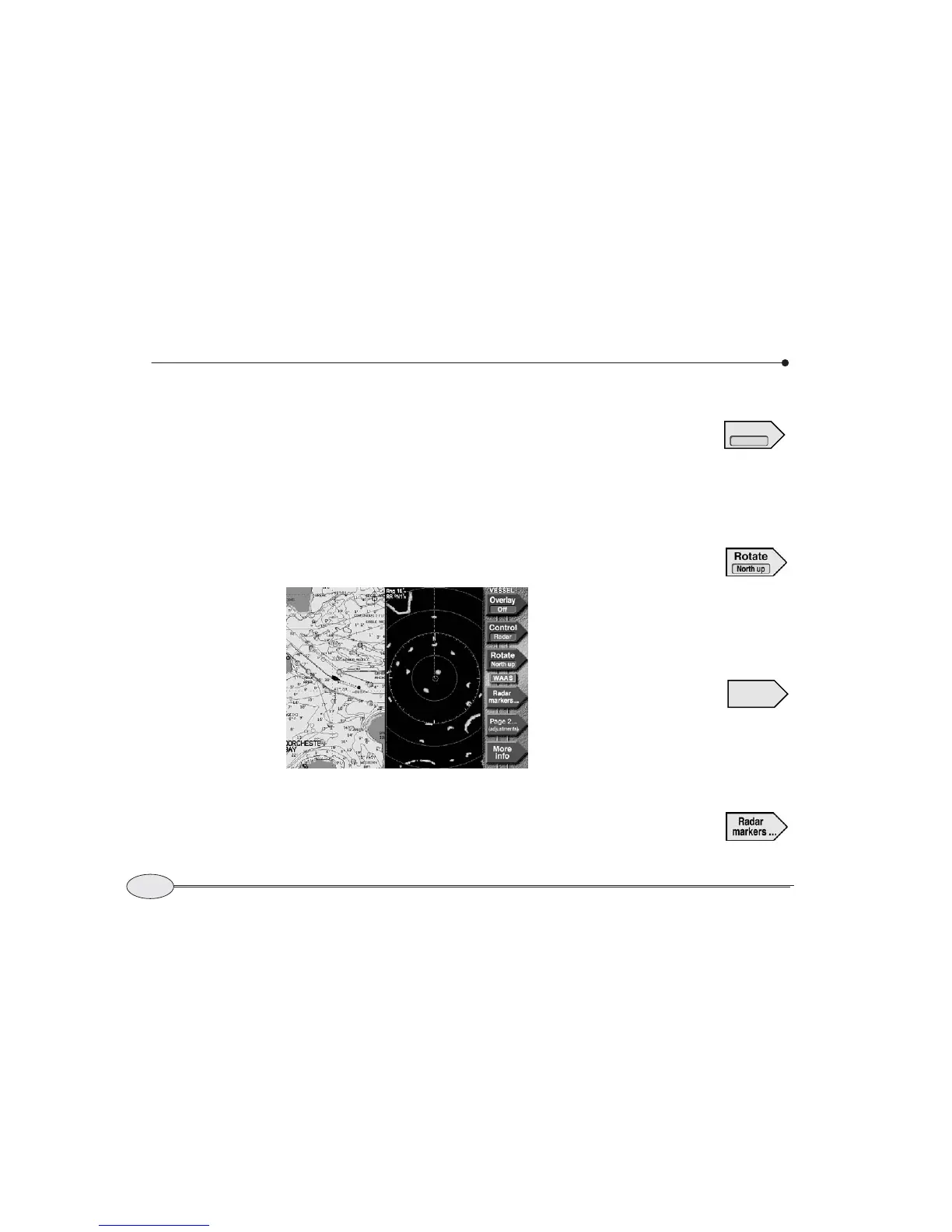
The radar’s main menu keys allow you to:
• overlay the radar image on the chart (if
the chart is also displayed)
• switch control between the radar and
chart (if the chart is also displayed)
• rotate the radar image
• access the radar markers
• access the radar adjustment pages
• show more navigation information on
the info bar at the bottom of the screen
Controlling radar
In order to control the radar,
the Control key (if present)
must indicate Radar.
If necessary, press the Control key repeat-
edly until it indicates Radar.
Rotating the radar image
Press Rotate repeatedly to
choose the screen rotation.
You can choose north up,
course-up, heading-up, or leg-up. For more
information, see Changing radar scale and
rotation, on page 90.
Adjusting the radar
Press the Page 2 key to
display the first of several
pages of radar adjustments.
For more information about using these
keys, see Using the radar adjustment keys,
on page 94.
Using the radar markers
Press Radar Markers to
display the controls for the
6000i’s electronic bearing
Radar screen (split)
Control
Radar
Page 2
(adjustments)



 To Next Page