107
TO SWITCH FO2 FROM GAS 1 TO GAS 2
Depressing the M button for 2 seconds while viewing the
GAS 2 Switch Preview Display will Switch the VT3's FO2
from GAS 1 to GAS 2 and the VT3's Receiver from TMT 1
to TMT 2 (if active).
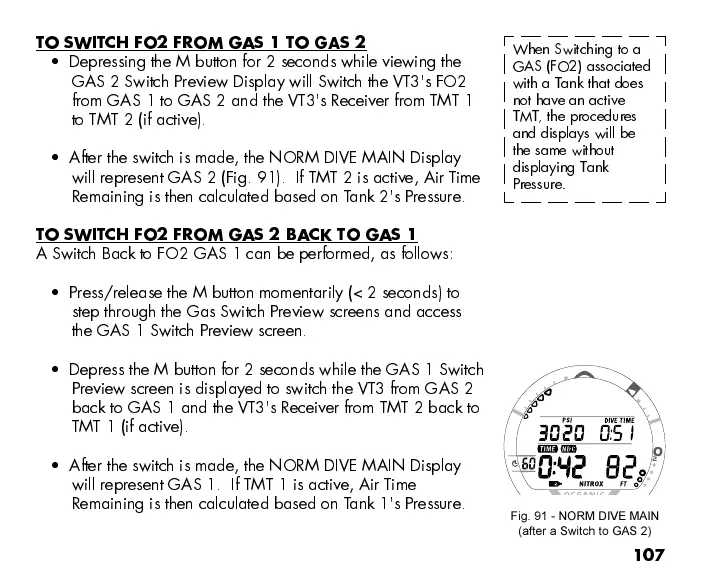
After the switch is made, the NORM DIVE MAIN Display
will represent GAS 2 (Fig. 91). If TMT 2 is active, Air T i m e
Remaining is then calculated based on Tank 2's Pressure.
TO SWITCH FO2 FROM GAS 2 BACK TO GAS 1
A Switch Back to FO2 GAS 1 can be performed, as follows:
Press/release the M button momentarily (< 2 seconds) to
step through the Gas Switch Preview screens and access
the GAS 1 Switch Preview screen.
Depress the M button for 2 seconds while the GAS 1 Switch
Preview screen is displayed to switch the VT3 from GAS 2
back to GAS 1 and the VT3's Receiver from TMT 2 back to
TMT 1 (if active).
After the switch is made, the NORM DIVE MAIN Display
will represent GAS 1. If TMT 1 is active, Air Tim e
Remaining is then calculated based on Tank 1's Pressure.
When Switching to a
GAS (FO2) associated
with a Tank that does
not have an active
TMT, the procedures
and displays will be
the same without
displaying Tank
Pressure.
Fig. 91 - NORM DIVE MAIN
(after a Switch to GAS 2)



 To Next Page