72
NORM/GAUG HISTORY MODE
HISTORY Mode displays accumulative NORM and GAUG dive information.
Battery removal will not affect the HISTORY data stored for viewing.
10 minutes after a dive -
pressing and releasing the A button 6 times momentarily (< 2 seconds each time)
while the NORM SURF MAIN screen is displayed will access HISTORY (NORM
SURF MAIN > ALT > PLAN > FLY > SAT > LOG > HISTORY), or -
pressing and releasing the A button 4 times momentarily (< 2 seconds each) while the
GAUG SURF MAIN screen is displayed will access HISTORY (GAUG SURF MAIN >
ALT > FLY > LOG > HISTORY).
Pressing and releasing the A button momentarily (< 2 seconds) will advance to the
NORM or GAUG SURF MAIN screen.
Depressing the M button for 2 seconds or if no button is pressed during a 2 minute
period operation will revert to the NORM or GAUG SURF MAIN screen.
Pressing the S button will activate the Backlight.
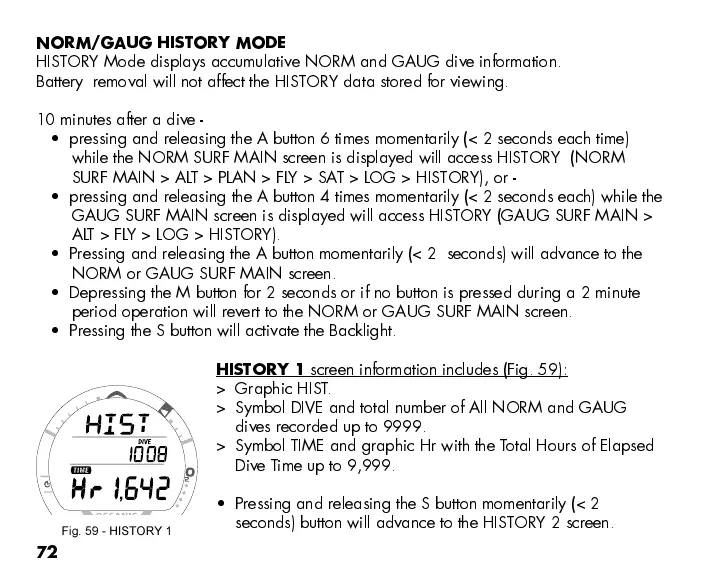
HISTORY 1
screen information includes (Fig. 59):
> Graphic HIST.
> Symbol DIVE and total number of All NORM and GAUG
dives recorded up to 9999.
> Symbol TIME and graphic Hr with the Total Hours of Elapsed
Dive T ime up to 9,999.
Pressing and releasing the S button momentarily (< 2
seconds) button will advance to the HISTORY 2 screen.
Fig. 59 - HISTORY 1



 To Next Page