65
During the first 2 hours after a dive -
pressing and releasing the A button 3 times momentarily (<
2 seconds each time) while the NORM SURF MAIN screen
is displayed will access FLY MODE (NORM SURF MAIN >
ALT > PLAN > FLY, or -
pressing and releasing the A button 2 times momentarily (<
2 seconds each) while the GAUG SURF MAIN screen is
displayed will access FLY MODE (GAUG SURF MAIN >
ALT > FLY).
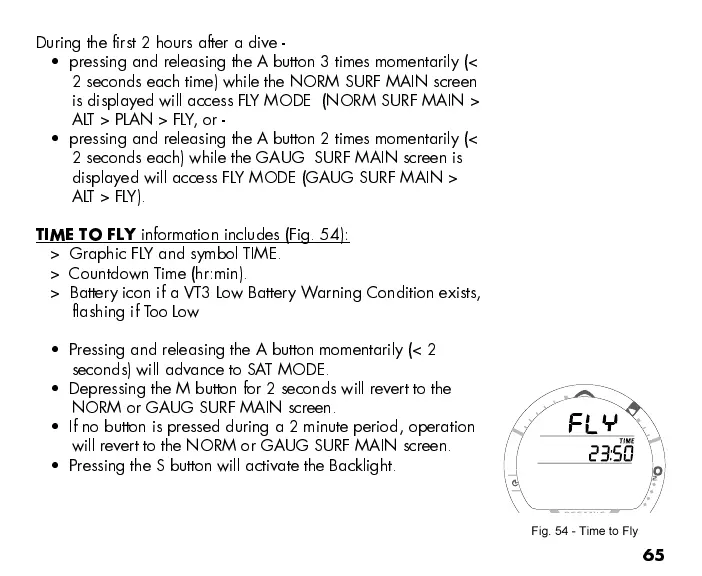
TIME TO FLY
information includes (Fig. 54):
> Graphic FLY and symbol TIME.
> Countdown Time (hr:min).
> Battery icon if a VT3 Low Battery Warning Condition exists,
flashing if Too Low
Pressing and releasing the A button momentarily (< 2
seconds) will advance to SAT MODE.
Depressing the M button for 2 seconds will revert to the
NORM or GAUG SURF MAIN screen.
If no button is pressed during a 2 minute period, operation
will revert to the NORM or GAUG SURF MAIN screen.
Pressing the S button will activate the Backlight.
Fig. 54 - Time to Fly



 To Next Page