61
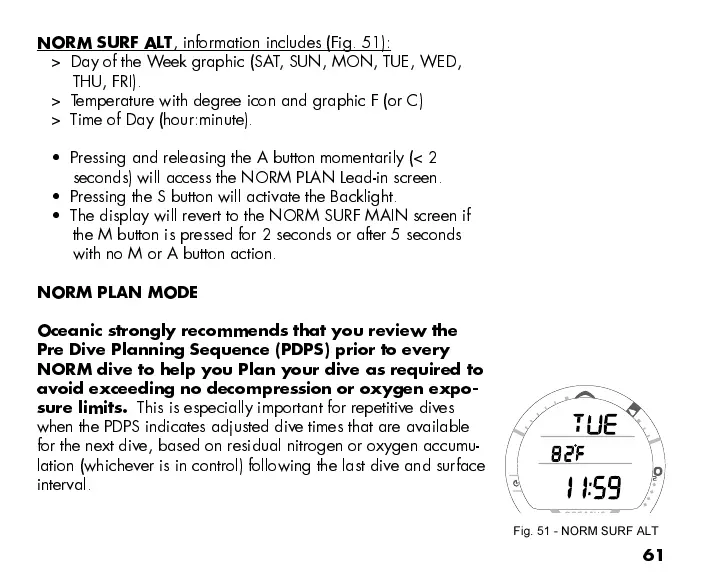
NORM SURF ALT
, information includes (Fig. 51):
> Day of the Week graphic (SAT, SUN, MON, TUE, WED,
THU, FRI).
> Temperature with degree icon and graphic F (or C)
> Time of Day (hour:minute).
Pressing and releasing the A button momentarily (< 2
seconds) will access the NORM PLAN Lead-in screen.
Pressing the S button will activate the Backlight.
The display will revert to the NORM SURF MAIN screen if
the M button is pressed for 2 seconds or after 5 seconds
with no M or A button action.
NORM PLAN MODE
Oceanic strongly recommends that you review the
Pre Dive Planning Sequence (PDPS) prior to every
NORM dive to help you Plan your dive as required to
avoid exceeding no decompression or oxygen expo-
sure limits.
This is especially important for repetitive dives
when the PDPS indicates adjusted dive times that are available
for the next dive, based on residual nitrogen or oxygen accumu-
lation (whichever is in control) following the last dive and surface
interval.
Fig. 51 - NORM SURF ALT



 To Next Page